





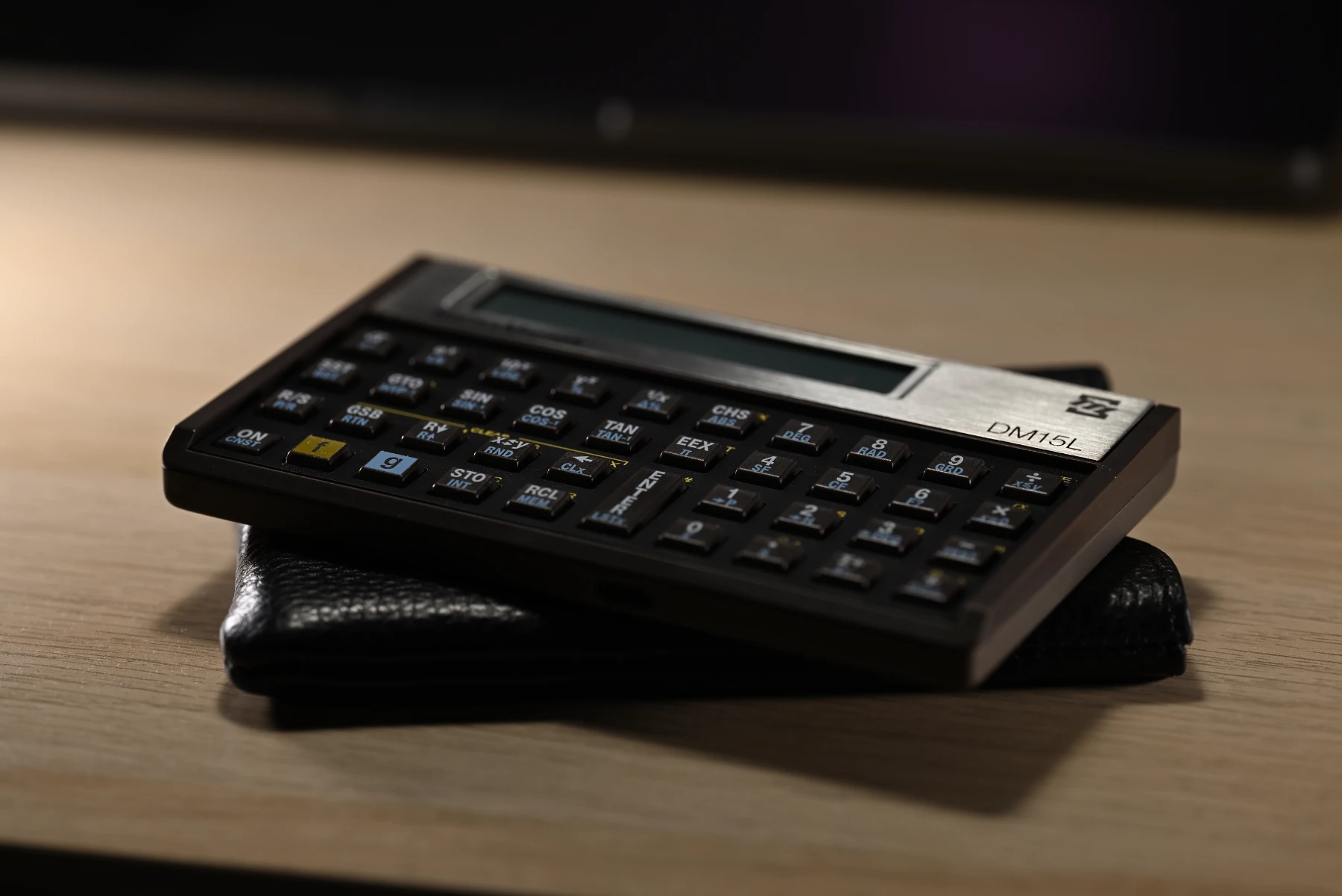
SwissMicros DM15L/DM15C
Both the DM15L and DM15C represent the classic HP-15C, packed with some much needed quality-of-life improvements. Identical in function but rather different in form, both SwissMicros models aim to please both calculator aficionados and those looking for a high-quality desktop or pocket number cruncher with solid performance, a hefty metal build and oodles of functionality.
Pros
- High-quality build
- Faithful to the original
- ...with that said, the original HP-15C is a wonderful calculator
- Many quality-of-life improvements
Cons
- A little slower than HP's own HP-15C CE
It’s rather difficult to even approach recreating something like the HP-15C, the scientific flagship of HP’s renowned (and for the time, quite revolutionary) Voyager series from the ‘80s. Ask many a calculator collector nowadays about their favorite model of all time, and you’re rather likely to hear them mention either the HP-15C or an HP-42S.
These two aren’t alike; in fact, they’re as different as two RPN machines can be. The HP-42S is beloved (and often hailed as the finest RPN machine ever made) for its multi-line dot-matrix screen, a more extensive programming model, and a customizable menu-driven user interface that feels contemporary to this day. While most HP models share a touch of common design DNA, accelerating advances in technology meant that some core paradigms could shift even between consecutive releases.
…what we’re trying to say is that the HP-15C feels exactly the opposite, with its two modifier keys making all the functions (well, almost all of them) accessible right from the keyboard, a single-line 7-segment LCD display, and quirky horizontal form factor. And all that’s not a bad thing. Not at all. This thing is simple, and immediate, and lovable because it’s nevertheless highly capable.
The HP-15C is so beloved that HP itself (though through their Moravia Consulting licensee) re-released the calculator not once (HP-15C LE) but twice (HP-15C Collector’s Edition) — and we’ve got the latter on hand today to compare HP’s revival effort with SwissMicros’. Spoiler alert: both are fundamentally different takes on a classic.
Ta-da: five paragraphs in and we’re finally ready to take a look at the star(s) of the show: the SwissMicros DM15L and DM15C.
Old-school for a new age: an overview and first impressions
SwissMicros’ no-nonsense, minimal packaging is always delightful. The charming monochromatic cardboard boxes might not fully portray how much goodness is hidden within, but the absence of flashiness is a class act in itself. These weren’t made to try and grab attention on overpopulated store shelves.
When you flip the lid open, you’re greeted by a nice little postcard-style promotional card. With it out of the way, there’s not a lot more in the box except the DM15L itself, nested safely in its leatherette pouch.
Said leatherette pouch feels pretty good. It’s stiffer and more substantial than the one provided by HP with the HP-15C Collector’s Edition. The inner microfiber padding is also nicer, and is rather similar in feel to that of SwissMicros’ other pouches. Unsurprisingly, the fit is just right.
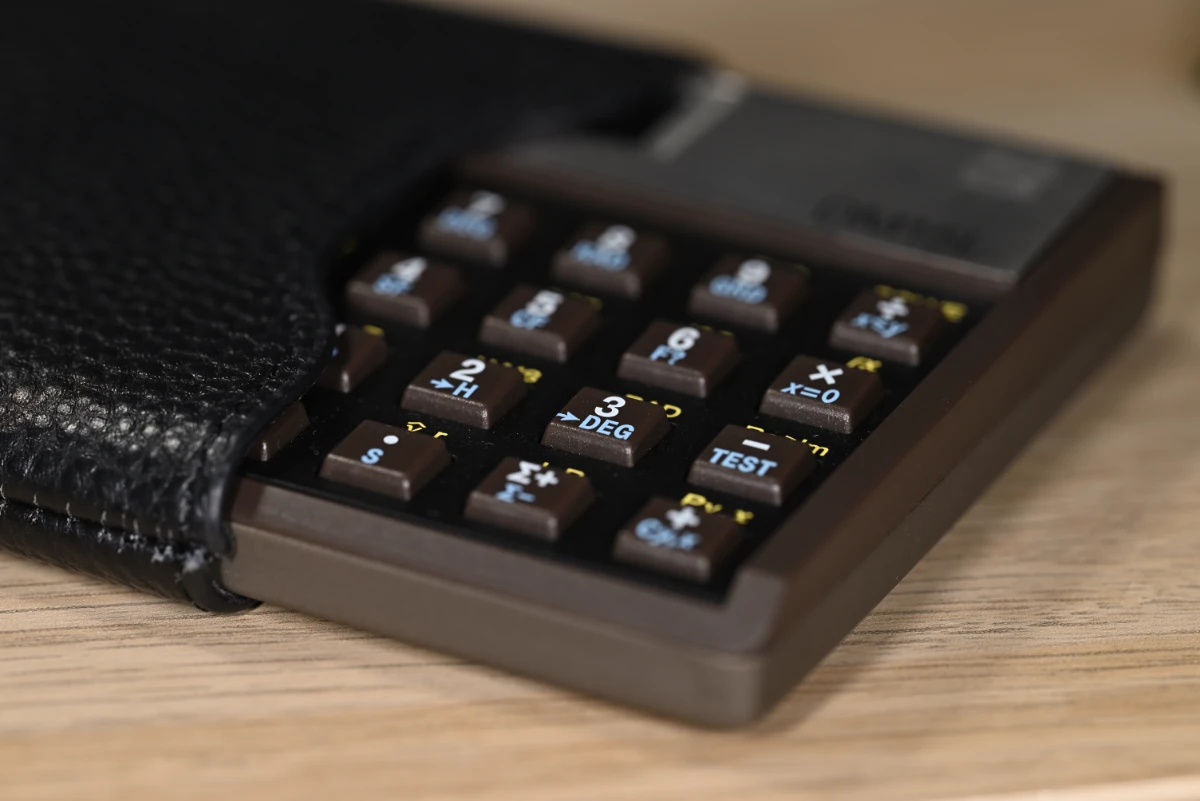
Ready for an anecdote? Notice how we specified that it was the DM15L in the box up there? We almost missed our DM15C in the package as it… wasn’t in a box. It simply arrived in its own tiny pouch (made of the same high-quality material, though). During transit, it managed to work itself into a corner, behind the padding, and had we not felt something jiggle in the box as we were about to toss it, it would have been a sad day. On the upside, the DM15C sustained absolutely no damage during shipping, so it seems that this method is decently safe.
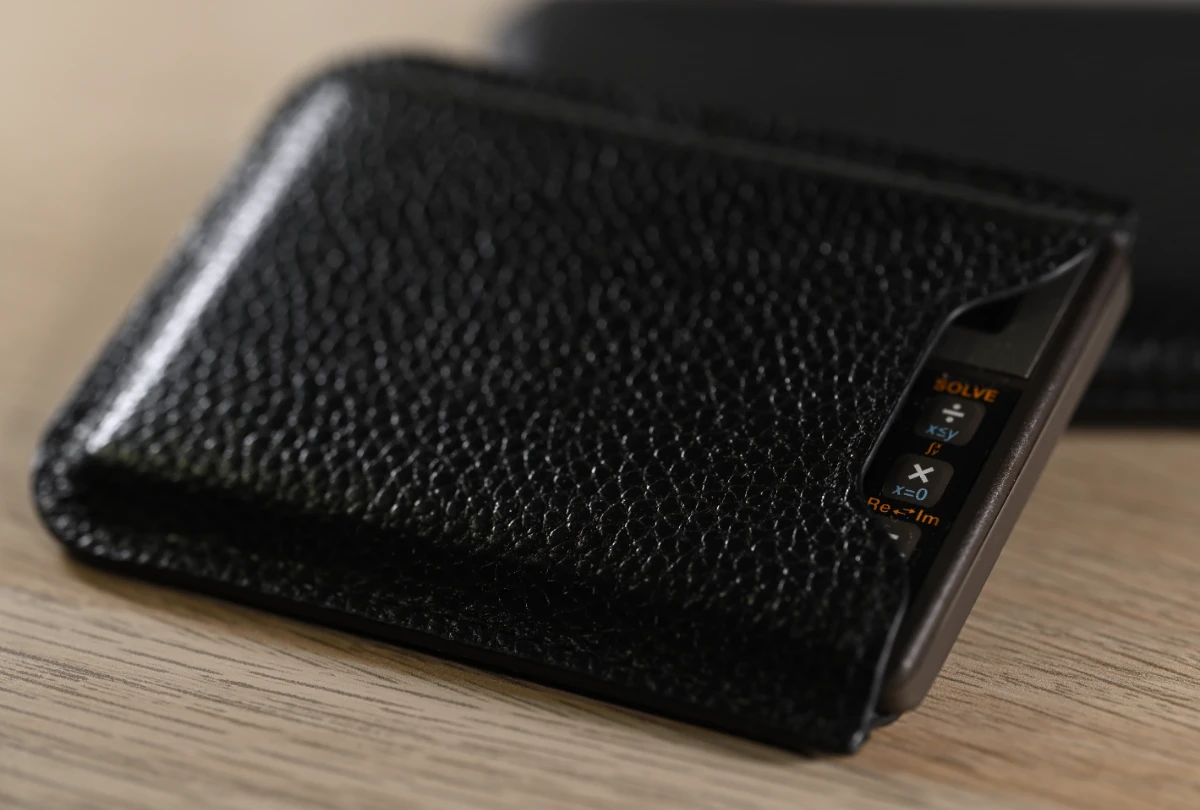
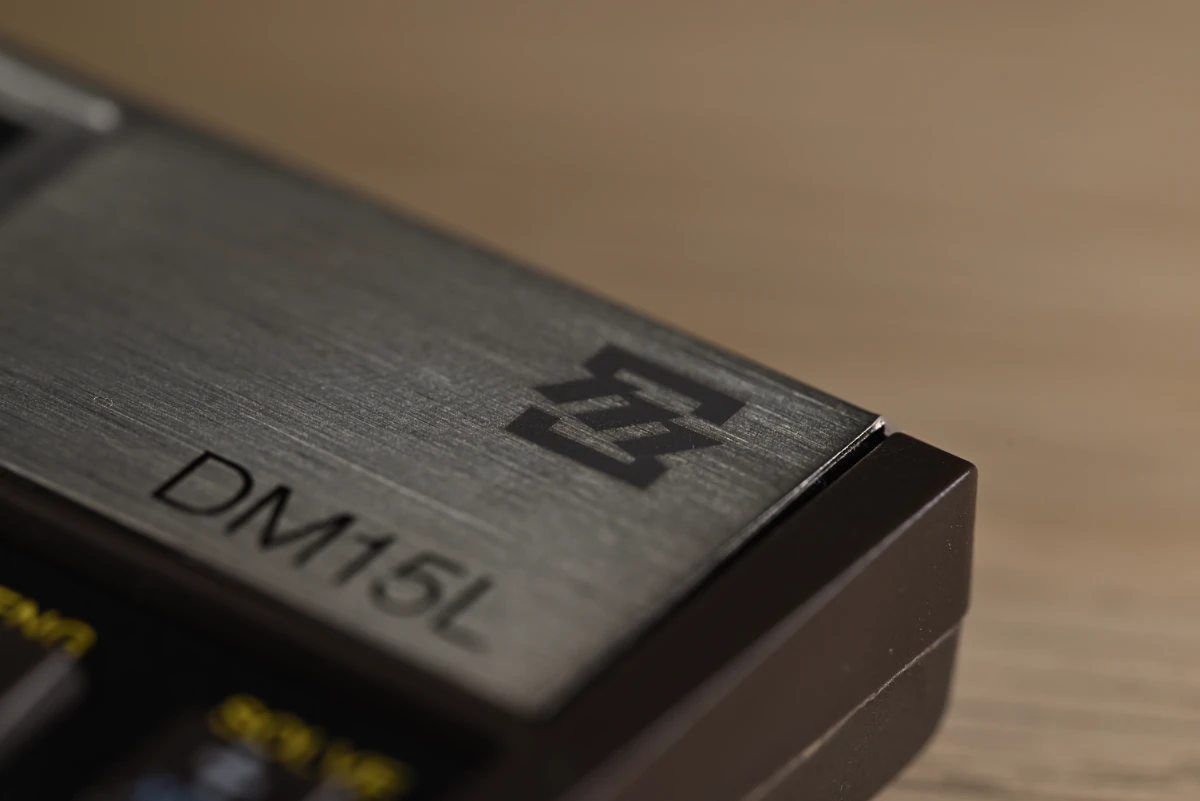
Now, the units themselves. Unlike the plastic-clad shells of all the original HP-15C models, the DM15L and DM15C both feature metal frames. Curiously, the metal is grade 1 titanium, which makes both of these feel substantial, yet still lighter than you might expect. On top of that, as a side effect of titanium’s lower thermal conductivity, the DM15 lineup feels warmer in the hand than, say, the steel shells of the DM42n or the DM32. Weird thing to note, we’re aware, but it makes for a tangible difference.
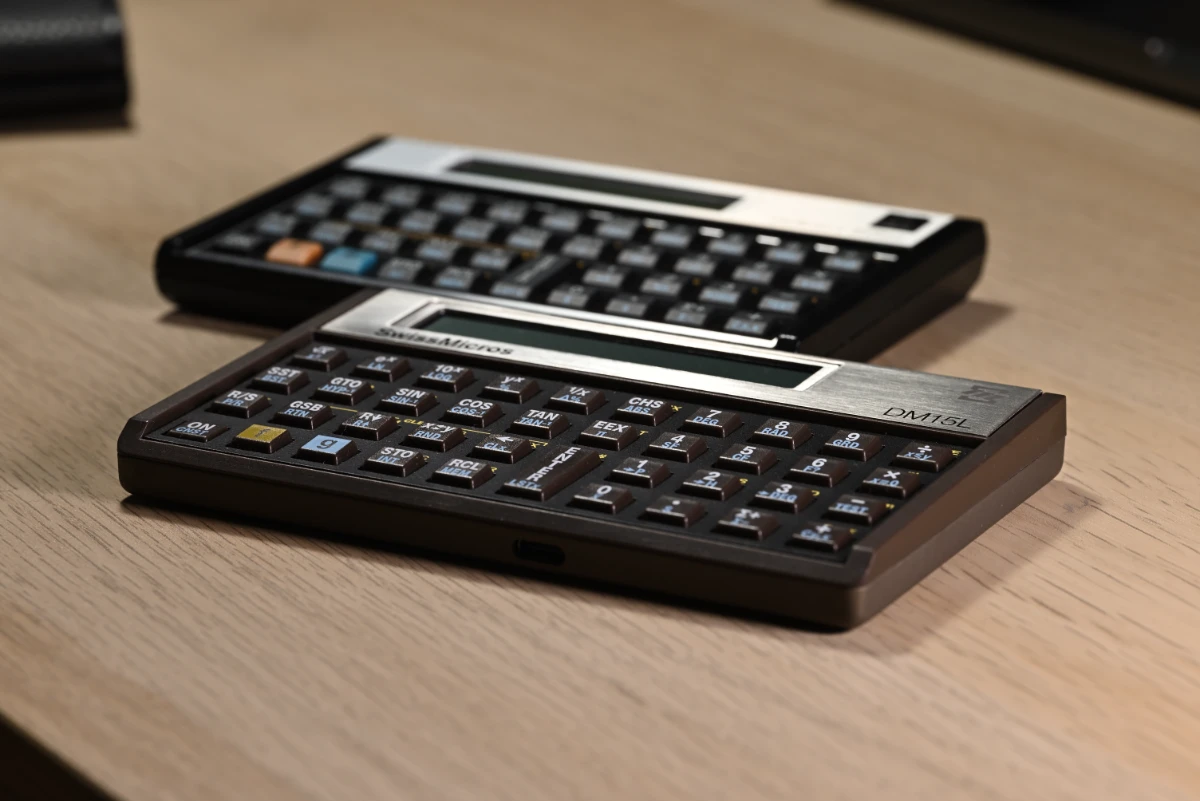
Now, despite being made of similar materials, the DM15L and the DM15C are absolutely nothing alike. The DM15L is a full-size design, modeled after the HP-15C, sporting a virtually identical footprint and overall layout. It’ll feel instantly familiar if you’ve ever held any original HP Voyager — and if you haven’t, it’s as close as you can get without, well, having an actual Voyager in hand.
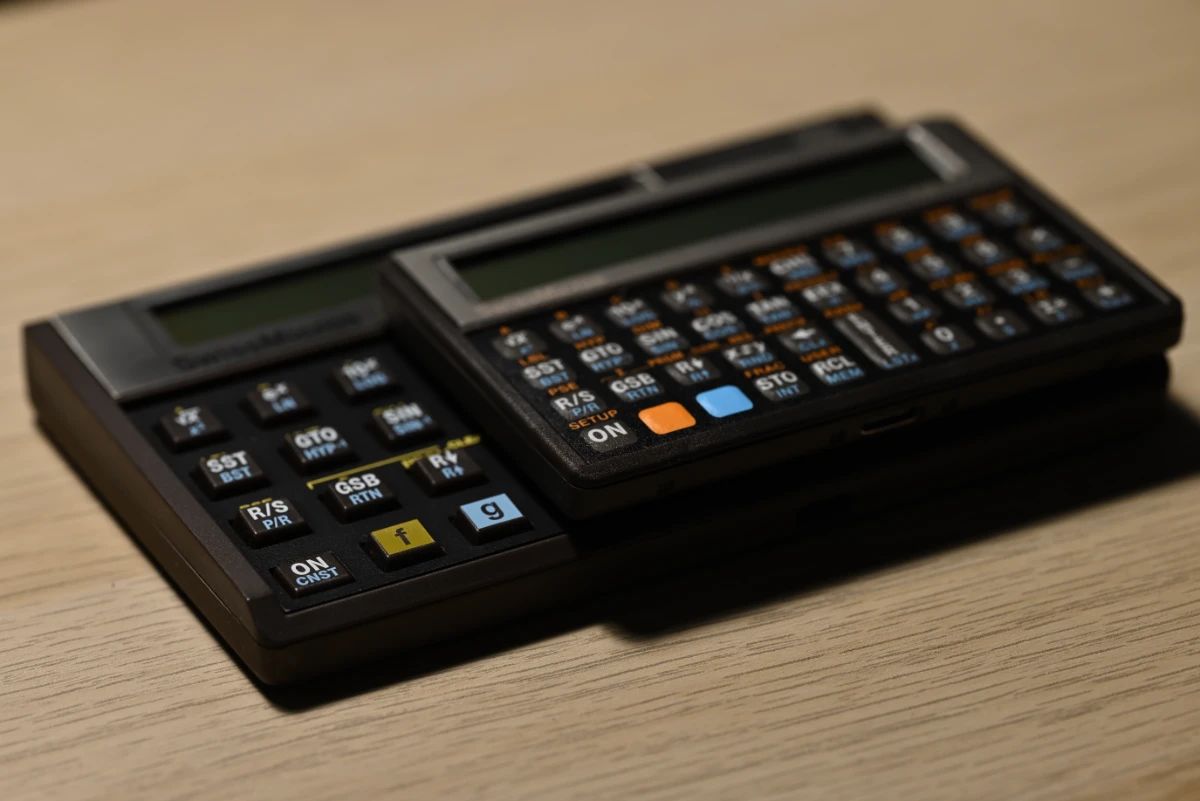
There are differences, however. Perhaps most notably, the DM15L brings a substantial upgrade to the original HP-15C’s display, swapping the 10-digit, 7-segment display for a (wider) 132×16 pixel LCD dot-matrix display. This lets the DM15L display both the x- and y-stack registers, as well as more verbose error messages and programming instructions.
Coincidentally (and we find this rather interesting), this is the exact same screen resolution found in many higher-end Voyager-series calculators, including the original HP-42S. Neat.
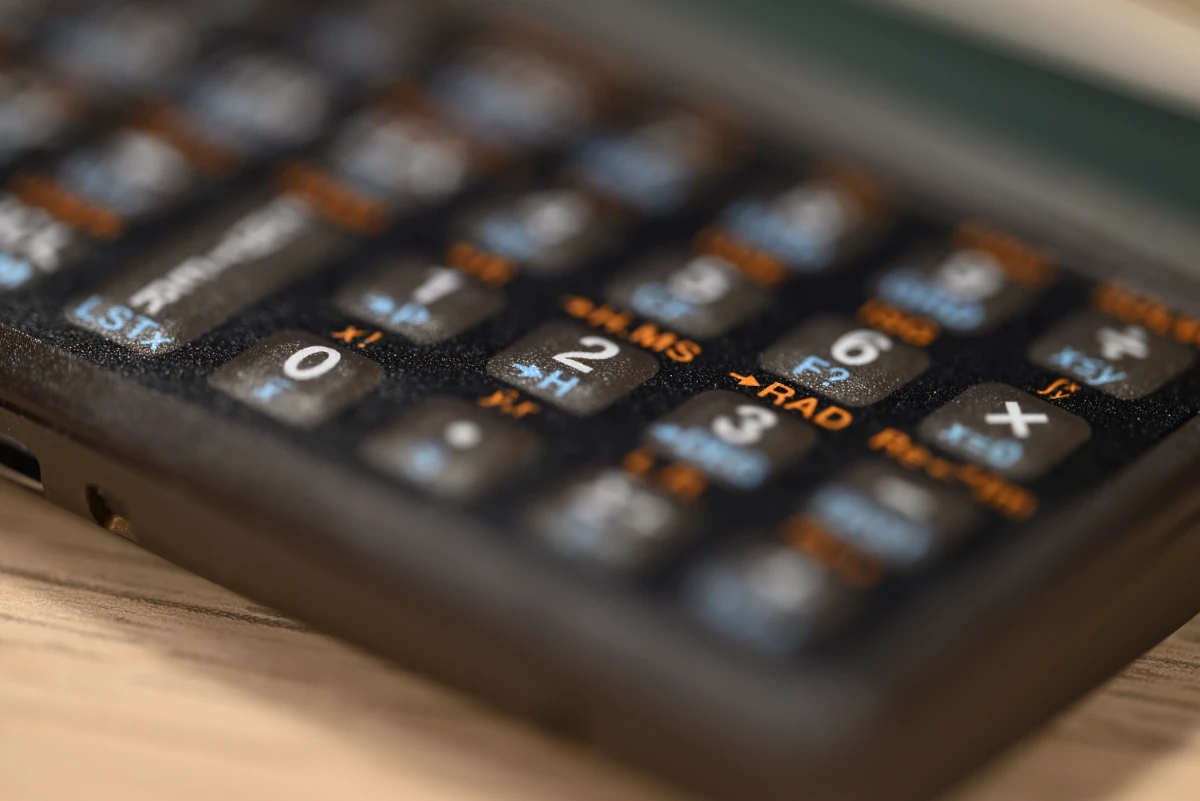
HP calculators are known and beloved for their signature beveled keycaps. The DM15L stays mostly true to this legacy, featuring slanted, top-actuating keys (now that we think about it, the keys are very much shaped like the “ON” key of the original HP-15C), though these feel a touch firmer and more clicky than the keys you might find on an original Voyager. In no way does this mean that they’re inferior to the originals: many might prefer the more defined tactility and unambiguous feedback that these provide. They’re simply different, which might matter to some long-time HP fans.
One clear downgrade is the key labelling. The DM15L’s keys do not feature double-shot keycaps (like the original Voyagers), but have their labels simply printed on, which might have some long-term durability ramifications.
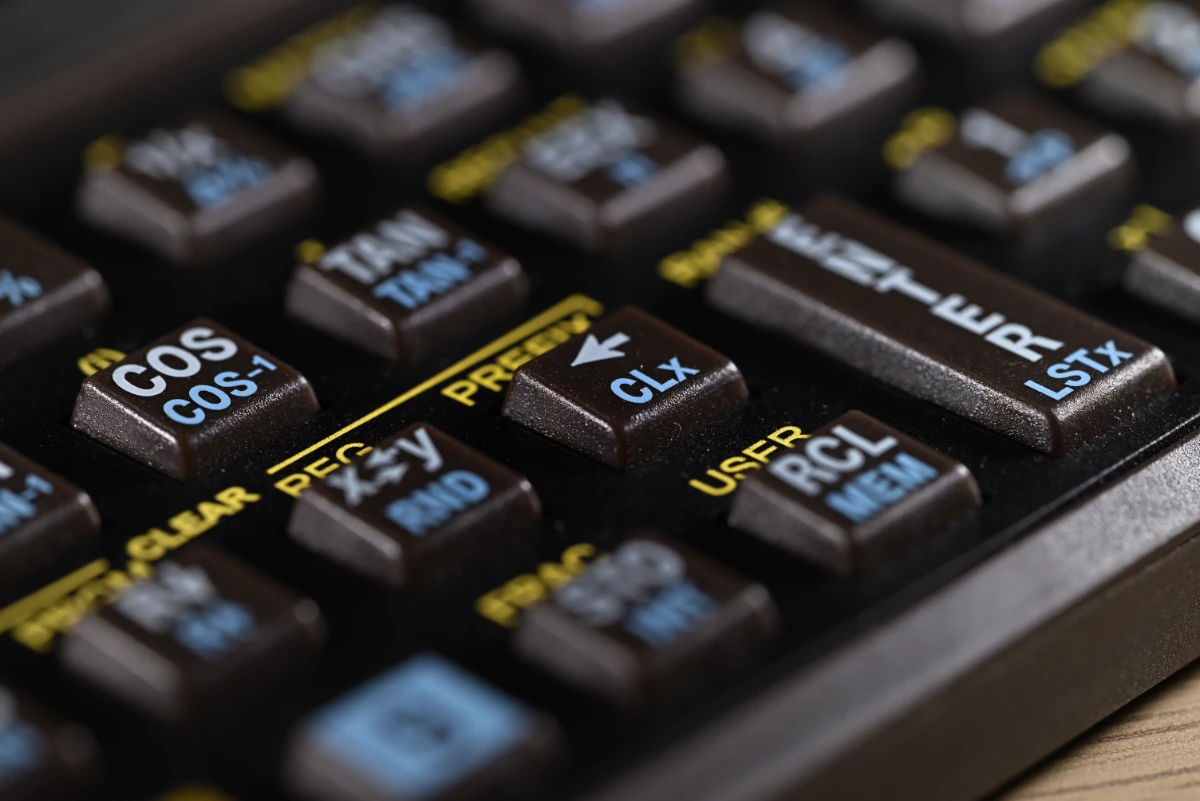
With that being said, HP’s own HP-15C Collector’s Edition features a more faithful keyboard design, yet still comes with “downgraded” printed keys which are, on top of that, somewhat prone to bouncing if pressed with even a touch of hesitation. Conversely, the DM15L’s keys are incredibly reliable. We don’t recall a single missed (or doubled) input during the entire time we’ve had the calculator.
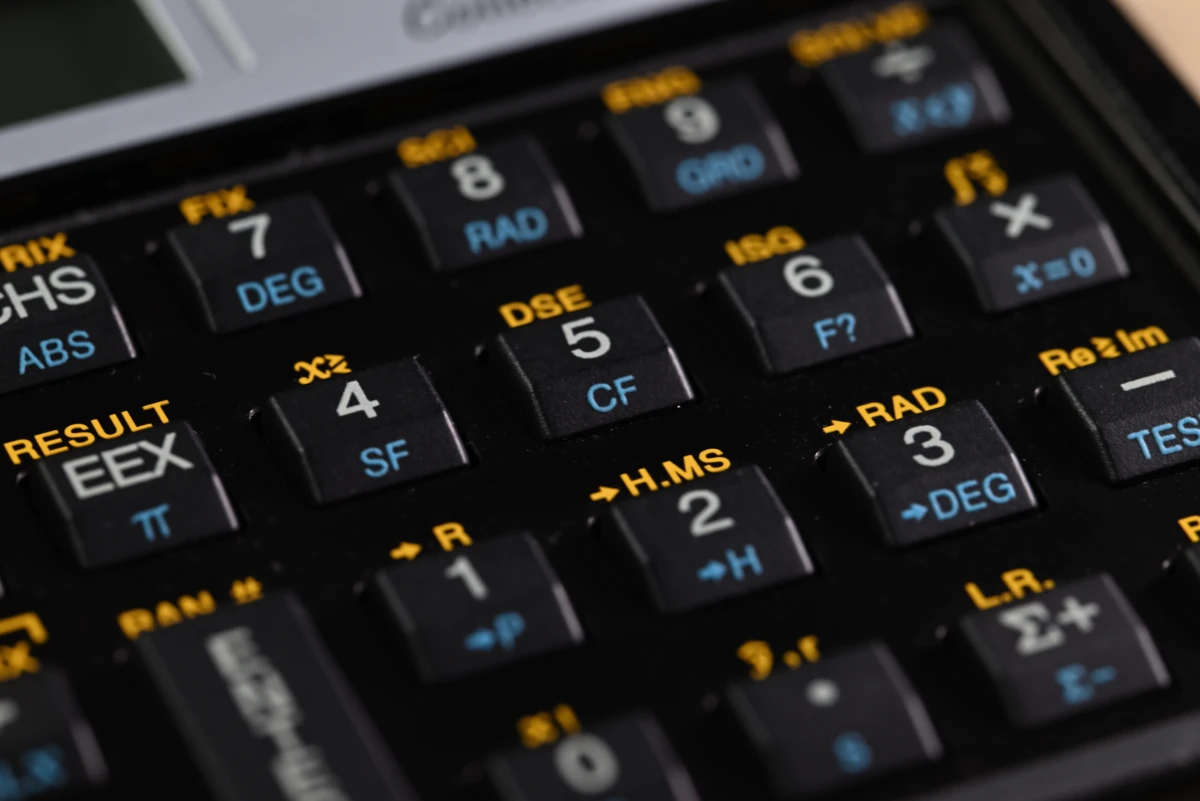
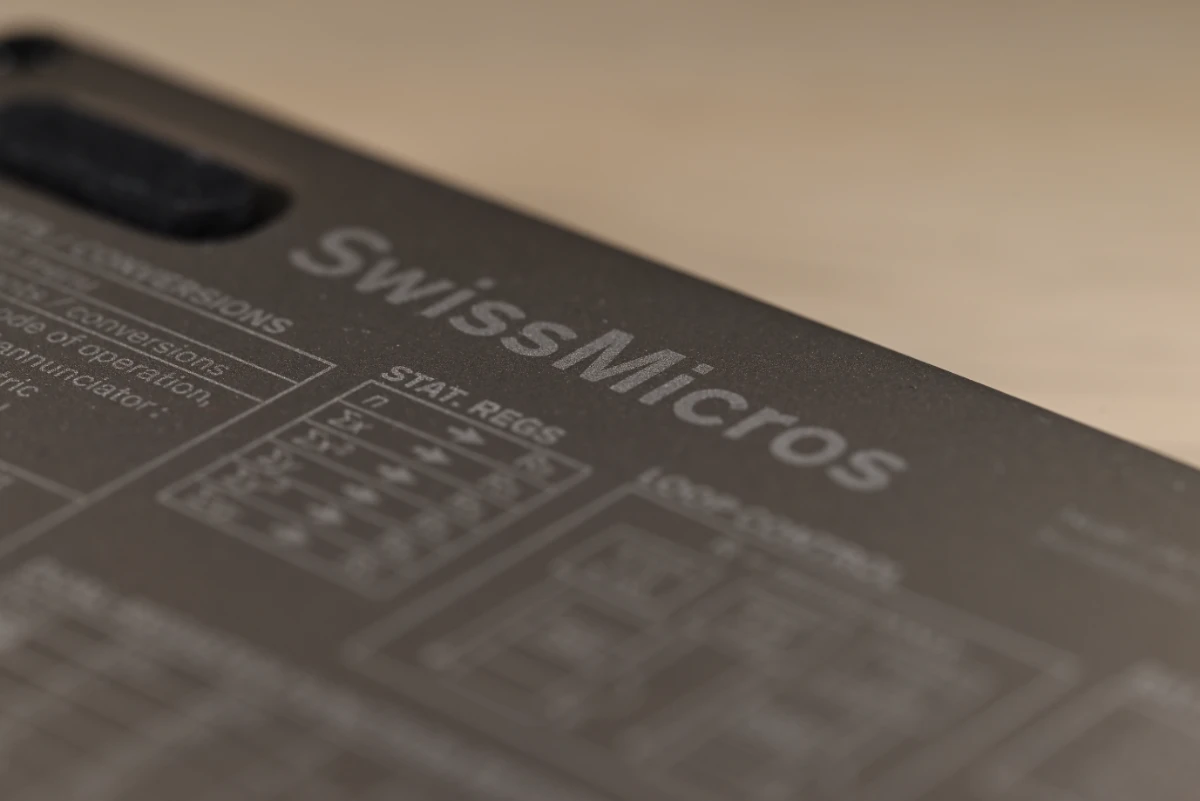
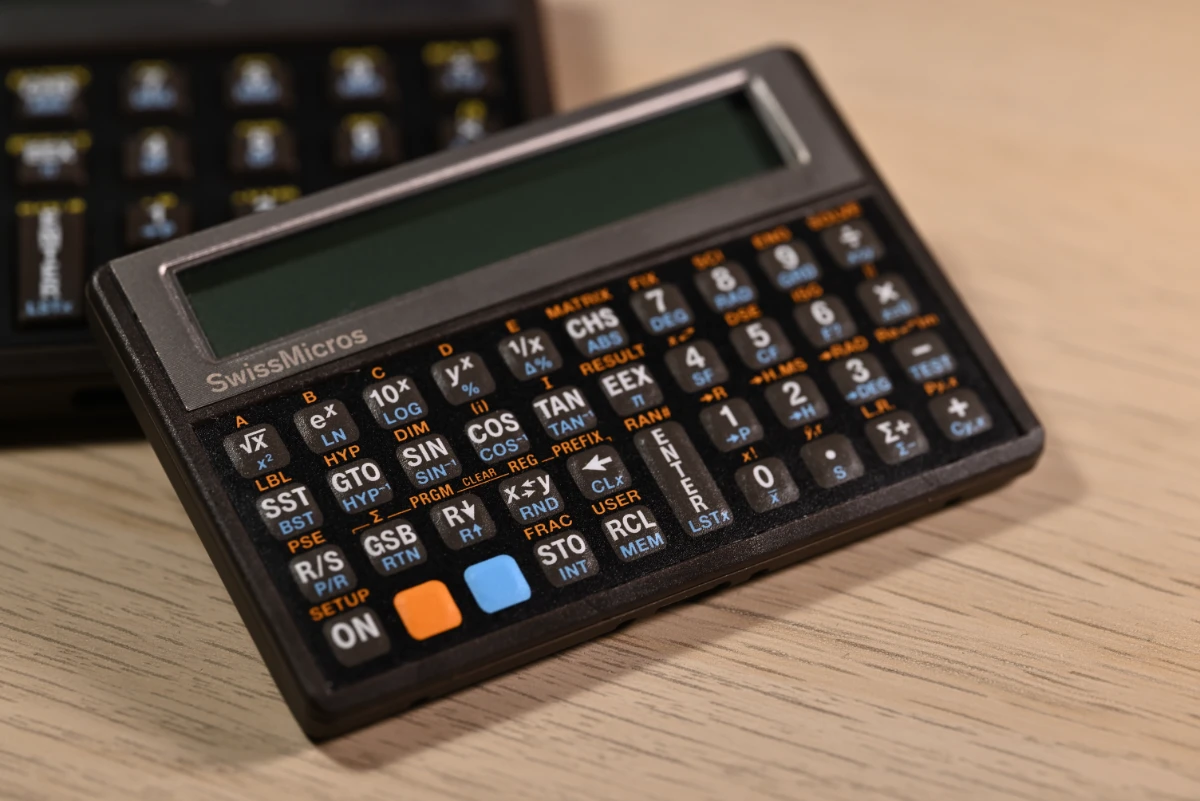
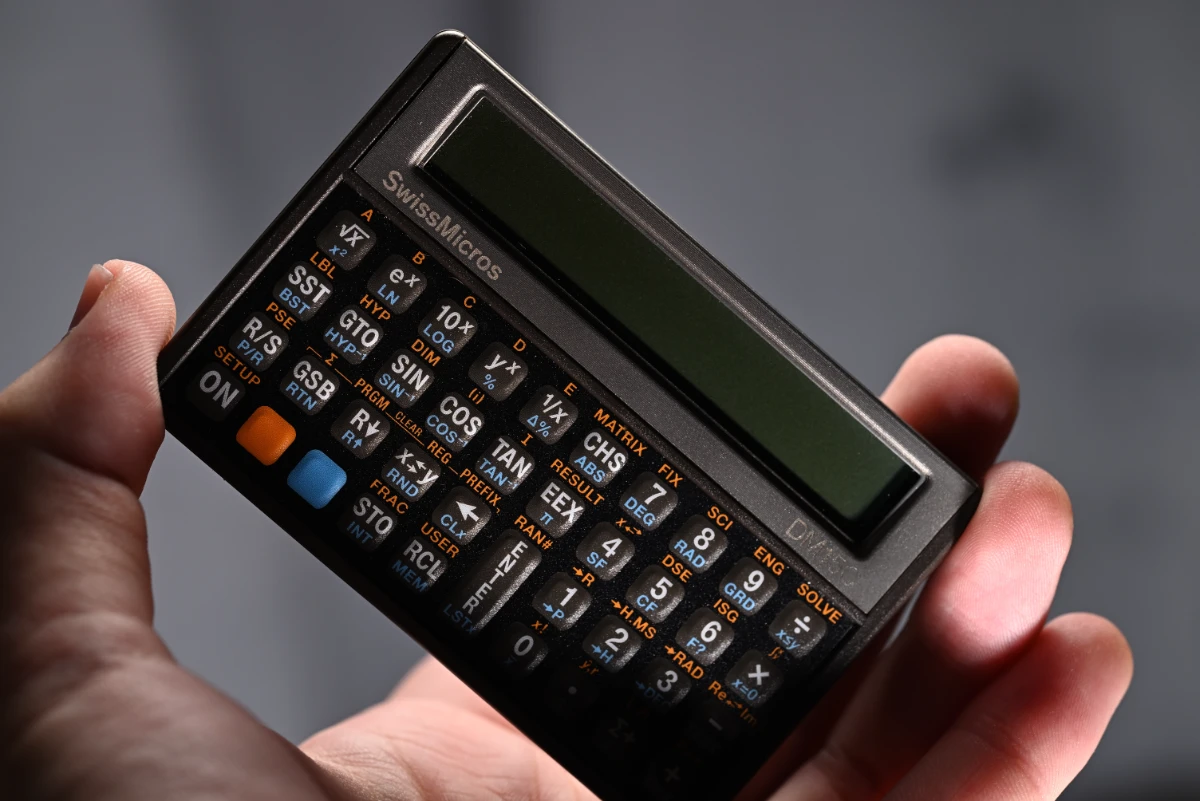
Now, onto the little DM15C. It’s… tiny. Genuinely, it’s adorably tiny. It takes all the buttons and smarts and features of the DM15L and crams them into a package that’s effectively credit card–sized. It comes with the same nice 132×16 pixel display, and even a complete printed command legend on the back, à la Voyager, but does replace the nice, clicky full-size keys with an integrated membrane keypad.
You’re not alone if you’ve just furrowed your brows upon hearing membrane keypad. “Oh God,” one might think, “it’s the same thing used on those damn cheapo RGB light remotes.” But, luckily, the DM15C’s keys are a far cry above those. With proper metal domes underneath, there’s a surprising amount of tactile feedback (for a membrane, temper your expectations), and the whole thing seems absolutely reliable. Remember, the small DM15C still retains the titanium frame, which makes it rather sturdy, and the minimal flex that the front plate exhibits doesn’t detract from the overall experience. Sure, it’s not as refined a user experience as the DM15L, but its portability (or rather, pocketability) means that it’s seen, in our experience, more actual use out-and-about.
Both the DM15L and the DM15C use a single CR2032 battery for power. SwissMicros states that the expected battery life is up to 5 years. We obviously had no way of confirming this during the scope of this review (sorry!), though we have no reason to doubt that it’s true.
All HP Voyager calculators are programmable. This is where much of their problem-solving utility comes from. Classic RPN models use a rather idiomatic programming concept: keystroke programming. Effectively, programs are collections of steps, with each step containing a reference to an actual keypress. In Voyager-series calculators, steps themselves are identified by three-digit numbers, while each command gets a two-digit row/column identifier (or multiple, in case of shifted/prefixed commands). Effectively, even when programming, you’re directly manipulating the RPN stack, and using the calculator’s storage registers and built-in functions (mathematical and flow control ones) in order to get your desired result.
Say you want to enter a new program into the calculator’s memory. All programs start with a LBL command, meaning that, e.g., your second program might start with a LBL B line. In order to enter this, you select it directly from the keyboard using a three-keystroke combination: f, SST (LBL), ex (B). Assuming this happens on step 10, a classic 7-segment Voyager might display something like:
010 - 42,21,12on its display. Keeping in mind that these represent the row/column each key is in, and that both rows and columns start at 1, numbered top-to-bottom and left-to-right (with the final column labeled “0”), it shouldn’t be too hard to decode instructions, especially with a calculator in front of you.
It’s not fast, though. And if you’re stepping through a large program, trying to find an issue, it’s relatively tiresome. The DM15 series’ expanded screen and ability to show actual command names (and arguments) in addition to programming codes is perhaps the single largest quality-of-life improvement over the standard models.
…well, the single largest, right after the USB-C port (yes, even the tiny DM15C has one). It lets you back up and restore entire calculator states to and from your computer. (And by calculator states, we mean the contents of the stack, memory registers, all programs, and the like.) You can access this functionality using any serial terminal, or even using SwissMicros’ online web tools (Voyager WebTool).
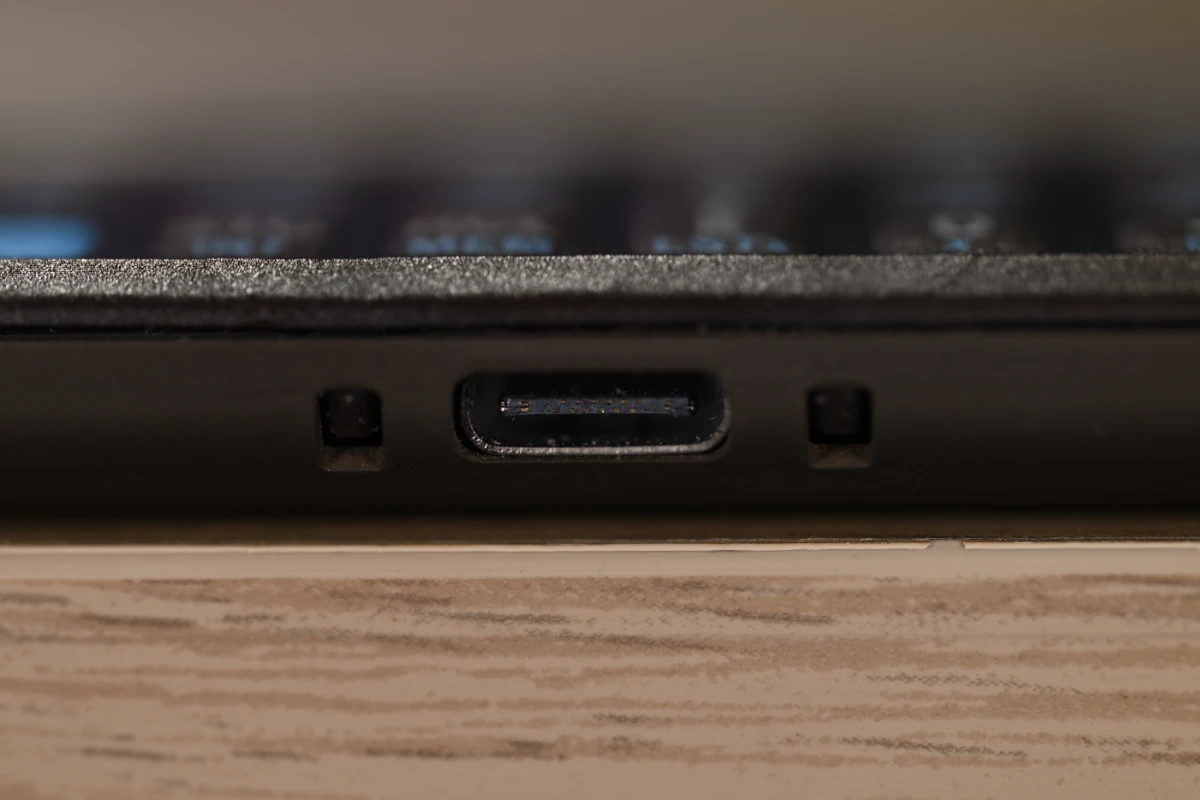
Computer connectivity also lets you update the unit’s firmware. SwissMicros keeps refining their releases, but it’s somewhat more likely that you’ll want to swap between different firmware versions designed for the DM15 models.
Namely, the “standard” DM15 firmware features the exact same memory setup as the original HP-15C from the ‘80s, with 67 registers total. There are two “expanded” firmware releases, too: the DM-15_M80 with 128 registers, and a DM-15_M1B release that maxes memory out at 229 registers. SwissMicros warns that this final firmware might be a touch more unstable than the rest, but both our DM15L and DM15C came preloaded with it, and we haven’t run into any issues so far.
Having a USB port sets the DM15 models apart from all other Voyager-based offerings on the market, including the HP-15C Collector’s Edition. While many modern HP re-releases do feature a proprietary 6-pin pogo data connector (that’s not really meant to be user-accessible), and while specialized USB cables are available, it’s nowhere near as simple or as polished a process.
The HP-15C Collector’s Edition also features expanded memory compared to the original: 99 registers, further expandable to 194 registers with a secret internal “15.2” mode setting.
A closer look at the features…
So, what can you do with a DM15 model? For starters, it’s likely no surprise that all of the original HP-15C’s features made their way over. The 4-level (X, Y, Z, T) RPN stack remains unchanged (and, unlike the DM42n, the DM15L and DM15C don’t offer an expanded N-level stack mode), as does the handy system of storage and recall arithmetic. You can roll your stack up and down, and swap data between the x- and y-registers. As far as error correction goes, you’ve got a backspace key and the trusty Last X register for undoing things.
All the functions you’d expect on a scientific calculator are present: trigonometry, logarithms, Pi, percentage calculations (including HP’s rather nifty Δ% feature [also known as %CH or %Δ on some calculators] — this one tells you the percentage change between the numbers in the y- and x-registers).
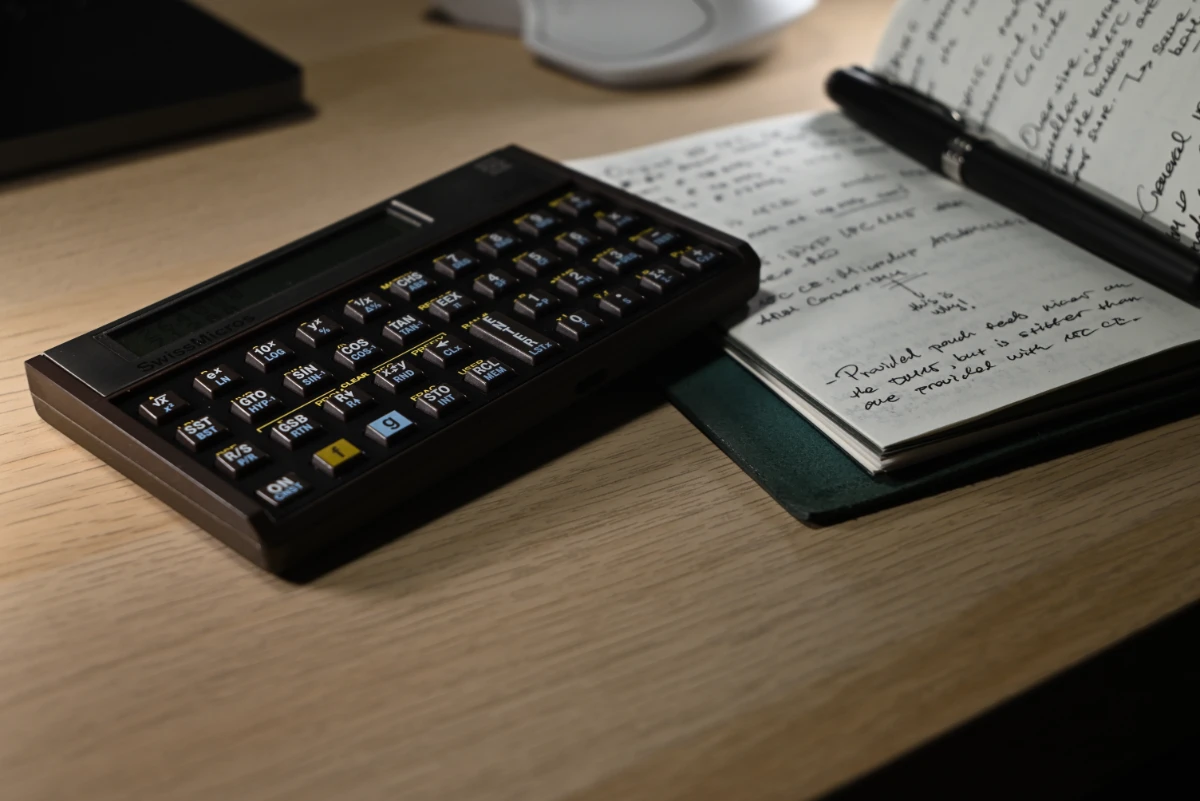
And now for the heavy artillery: the excellent equation solver, numeric integration, complex number support, and matrix calculations. The HP-15C also supports one- and two-variable statistics calculations as well as very basic curve fitting (linear regression only).
We’ll cover how equations and integration work in the programming section of this review (those accustomed to RPN should immediately understand why), but we’ll take a look at the way the calculator handles matrices and complex numbers right here. It’s a fascinating implementation, undoubtedly powerful, but also clunky.
See, despite being fans of RPN machines, we’re more than used to the modern ways calculators display a matrix in a scrollable, natural “textbook” format — i.e., the same way it’d appear written or printed on paper. Unfortunately, that’s not really an option with a 7-segment (as it were) display, so matrices rely on some clever register juggling.
Namely, the first two registers, R0 and R1, hold the x and y coordinates of the “pointer” that’s used to access individual matrix elements. Shifting the calculator into USER mode lets it automatically increment these left-to-right and top-to-bottom based on the size of one of the five matrices (A-E) that you’re currently accessing. This allows for quick, sequential input (or readout) using standard STO and RCL functions.
You can push matrices onto the stack just like you’d do with numbers, and perform operations with them, again, just like with numbers. Naturally, there is no way to see the entire matrix printed out, so we usually end up having to grab a piece of paper while we work to capture the sequential output of results. Oh — and since memory space is limited, you have to manually tell the calculator which matrix register to place any eventual matrix results in, by keying in f, EEX (result), [A-E].
Now that you’ve got some matrices in, you want to perform more than scalar operations. Say you want to calculate a determinant or transpose, invert, or take a row norm of a matrix. Well, that’s all done using the f, CHS (MATRIX), [0–9] key combination, which provides a set of matrix tools, references for which are printed on the calculator’s backplate.
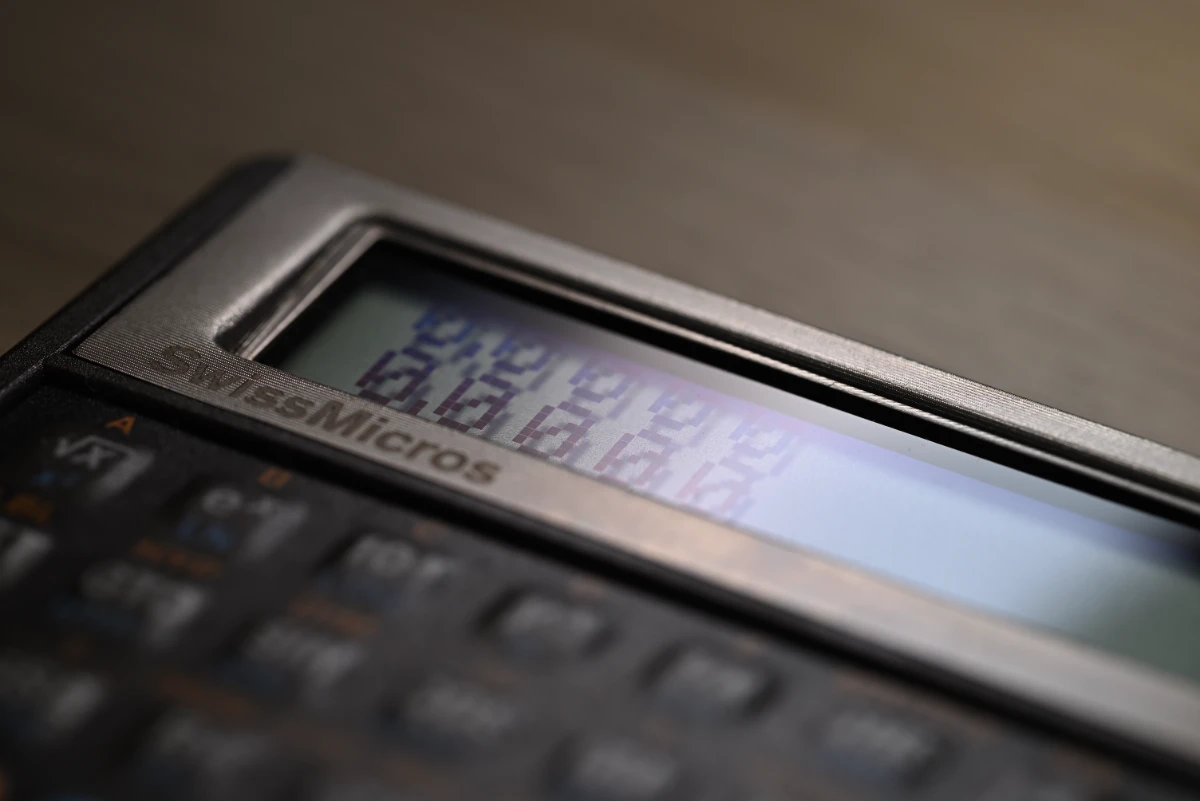
Complex numbers are perhaps a bit easier to work with. By tapping in a number into the x-register and pressing f, TAN (I), the calculator assigns that value as the imaginary component of the number in the y-registers and drops the stack by one. Even though it’s not immediately visible, the imaginary part is there, and can be accessed by f, COS ((i)). This temporarily displays the imaginary part for as long as the latter key is held. (The calculator only supports entering complex numbers in rectangular format; though it does feature rectangular/polar conversion tools which you can use beforehand/after.)
Unlike many modern calculators, designed with arbitrary limitations imposed by educational systems, the HP-15C (and all of its follow-ups and redesigns) was designed for professional use. There’s a surprising amount of versatility here, including full support for complex trigonometry, as well as complex number powers and various other more intricate calculations that would error out on a modern mainstream scientific or graphing calculator (there’s even support for complex matrices, but let’s not get into that here; it’s… complex — pun absolutely intended). It’s actually quite charming that  can be calculated in only five keystrokes, provided you’re in complex mode to begin with (those would be
f, EEX (π), f, TAN (I), ex). And you do in fact get -1, bang on!
As far as conversions go, the DM15 units feature those inherited from the HP-15C. Those are the degree/radian, decimal/DMS, and rectangular/polar converters. On top of that, SwissMicros added an entire menu of 33 unit conversions (mostly metric/imperial) that can be directly applied (bidirectionally) to the x-register, or have their conversion factor pushed onto the stack; as well as 33 physical constants that can be pushed onto the stack or be used to multiply/divide the number in the x-register.
The DM15L and DM15C do take a bit after the HP-42S (and, by extension, the DM42n). Namely, it’s possible to cancel (and preview) a selected function by holding/not releasing its corresponding key until the screen shows NULL. On top of that, functions that take multiple keystrokes (like STO, RCL, GTO and similar) offer pending key display, i.e., they show you exactly what you’ve typed so far and whether the function needs an extra argument or not. Both of these features take advantage of the extended display and really do make using the calculator much more practical. (Hah, see, 1988 UIs are that much more convenient than ones from 1982!)
Tap f, ON, and you’ll find yourself in the DM15 setup menu. It’s from here that you’re able to customize the calculator. Aside from the boring basics: setting (and viewing) the date and time, LCD contrast, or restarting the calculator, there are quite a few more interesting options. You can access the calculator’s serial console (for saving and restoring calculator states and sending other commands over), bootloader (for firmware updates), benchmark the calculator and test the hardware, check system info, but also select the display font, switch between a one-line or two-line stack display, and toggle the decimal separator between a dot and a comma. Oh, and there’s the option of switching the CPU frequency between the default 48 MHz and a considerably slower, but more energy-efficient 12 MHz. Your pick!
But wait: one-line display? Well, yes — for the purist at heart, annoyed by the modernity (gasp) of the default two-line display, the DM15L and DM15C offer a single-line mode that rather closely emulates the original HP-15C (granted, you still retain the function preview and pending key display functionality). And we’ll be honest here: the default one-line font isn’t terribly pretty. So, off you go, f, ON, 7, 7 a couple of times until you find one among the seven available options that’s a bit more agreeable to you. None of these look quite as nice as a real 7-segment display, but there are some that try to emulate the look and manage to do so decently.
For reference, the two-line mode has only two fonts to choose from, though both look pretty good to us — and especially the cute 7-segment–y one.
All of these handy DM15-specific features really are endemic to the SwissMicros units and are absent even from HP’s modern-day refreshes. That’s something to keep in mind as you read on.
Finally, there’s a bit to be said about this calculator’s most important feature: its immediacy. Sure, something like a DM42n (or HP-42S) is more powerful, but the menu-driven interface can be a point of contention. The DM15L and DM15C are nevertheless still powerful and capable calculators, but their (almost)-everything-is-right-there-on-the-keyboard approach is truly delightful. If you’re even a little interested in calculator culture, you’re likely aware of the community fallout Casio caused with the fx-991CW and its smartphone-inspired menu-based interface that many users found much slower than the fx-991EX’s more traditional one.
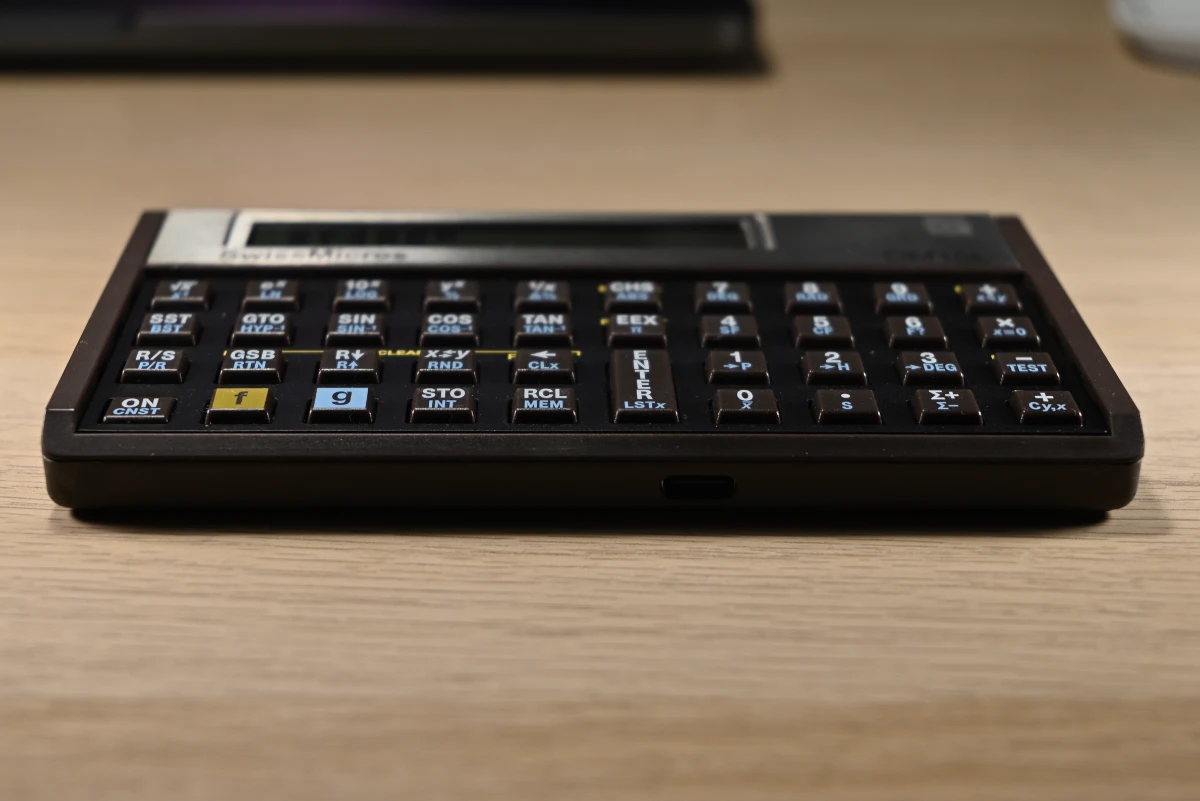
In short: the HP-15C is silly fast to interact with.
CPU specs and a couple of benchmarks
The DM15L and DM15C both feature virtually identical insides, just scaled to size. But you won’t find an original HP Nut CPU in here, no, but rather, a modern Arm microcontroller running an emulator of the old CPU. The MCU in question is a 32-bit NXP LPC1115, featuring a single Arm Cortex-M0 core running at 48 MHz (or 12 MHz, if you choose to underclock it).
We probably don’t have to elaborate on how much faster this makes the DM15 models compared to the HP-15C, especially if you take into account that the HP Nut was a serial (i.e., 1-bit) processor running at 884 KHz. While we unfortunately don’t have one of these on hand, we do have an HP-11C. It’s a “lesser” (though, to us, still beloved) model that doesn’t feature many of the more advanced features (solver, integration, complex numbers, matrices…). Nevertheless, it features the exact same CPU. And let us tell you — it’s (charmingly) slow. Heck, it takes the thing ~1.1 s to take a sine of a number…
The DM15L and DM15C are quite a bit zippier. We’ve run two little “benchmark” numerical integration problems:  , as well as
 . We ran these calculations at both the available CPU speeds (48 MHz and 12 MHz), and also tried them on the HP-15C Collector’s Edition.
Well: 2.3 s and 40.2 s for these two integrals isn’t bad at all. It’s slower than some of the modern scientific calculators you might have on hand (like the aforementioned Casio fx-991CW or something like a Sharp EL-W506T), and a fair chunk slower than graphing models. Nevertheless, unless you’re able to go all Maclaurin-y in less than ~40 seconds (or are a bit more reasonable with what you need to calculate), you’ll be more than happy.
Now, those are the numbers at the faster 48 MHz setting. Dropping down to 12 MHz does what you’d expect it to do, effectively making the calculator four times slower. So, 8.3 s for the simpler integral and 161.3 s for the monstrosity.
How does the HP-15C Collector’s Edition compare? Well, this is where it gets an upper hand on the DM15, despite being a less feature-rich platform. See, the two integrals take only 0.4 s and 7.6 s, respectively. And that’s the sort of difference that you might well notice in everyday use.
It’s interesting that the HP-15C Collector’s Edition also uses a 48 MHz Microchip (Atmel) ATSAM4LC2C processor, though it does sport a more advanced Arm Cortex-M4 core, giving it access to a richer instruction set and a DSP. This, likely in addition to somewhat better optimized Nut emulation, is the key driver behind the performance difference.
Something like a DM42n is going to be significantly faster. Its STM32U575RI is a 160 MHz Arm Cortex-M33 chip, and that makes many calculations pretty much instantaneous. In our review of this calculator, we’ve found that it very much stands its own against even the modern graphing models. But that’s all a touch beside the point, since, if you’re specifically looking for a Voyager, a Pioneer just won’t do…
The programming paradigm
RPN calculators have a unique programming paradigm. We’ve already mentioned it: keystroke programming. It seems primitive by today’s standards, but it’s a proper, Turing-complete language.
It didn’t start that way. The HP-65 was revolutionary for its time, being the first programmable handheld calculator, but a lack of a proper indirect memory addressing system limited the programming possibilities. Then came the HP-29C/19C (with continuous memory), and then the HP-67/97 (more features, but with magnetic card memory), evolving into the HP-34C by 1978 (which introduced the equation solver and integration capability).
And then came the HP-15C, which took all of the things that the HP-34C did and added matrix and complex number support. We’ve discussed these in detail. And it added more memory too, with 322 program steps (46 registers of 7 bits each, which means up to 7 program steps per register) and 21 storage registers (by default).
We’ve discussed how the DM15L and DM15C expand the total number of registers — but that doesn’t change the dynamic nature of how memory allocation works. Registers can be freely assigned to the program or general storage pool, depending on whether you need more of one or the other.
The HP-15C supports indirect addressing, through the index register. By storing another register’s number inside the index register (I), it’s possible to write to and read from it using the dereferencing function ((i)).
There are two types of loop control: DSE (decrease and stop if equal) and ISG (increase and stop if greater), as well as a set of 12 register tests (6 single-register and 6 dual-register ones) that are used for flow control, by skipping the next line of code (usually a GTO or GSB command) if false.
Finally, no HP programmable would be complete without the classic R/S command used for waiting on user input, as well as a suite of flags that can be set, cleared, or checked (which behaves in a similar manner to tests).
Programs can be labelled with 20 numerical and 5 alphabetical labels. Code labelled alphabetically can be directly run from the keyboard by f-pressing the leftmost five top-row keys. They can also be set to function as primary key functions, by entering USER mode — f, RCL (USER). This effectively gives you five user-programmable keys (though numerically labelled programs can also be manually run with a couple of keystrokes).
We don’t want this review to become a pseudo–user manual, so we won’t delve too deep into programming techniques. After all, the original HP-15C manual is a work of art, and the HP-15C Advanced Functions Handbook offers extra insight into more complex calculations. Despite that, we find it rather noteworthy that it’s possible to create programs that evaluate polynomials and find multiple roots quicker than the built-in solver (remember, it can be invoked as a program line), or programs that do TVM calculations, or extra regression options and what not. The HP-15C’s programmability made it a beloved land surveying tool (as it did its distant successor, the modern HP-35s, still the gold standard for surveying exams, even though it’s now discontinued).
But programs aside, how does one type in equations and functions for use with the built-in solver and integration function? Well… programming.
We’ll go on a little side-tangent here regarding the central role of programming in all RPN calculators. They’re built around the idea of users immediately dipping their hands into writing their own code, be it for solving complex problems or just automating menial calculations. Check some of the old manuals, even those written for entry-level models like the HP-10C: you’re introduced to programming on page 10 of the over-a-100-page-long manual.
So, entering expressions boils down to writing a short program that emulates a would-be user entering them, keeping in mind that all of the DM15’s solvers fill the entire stack with the unknown (or integration variable). Thus, i.e., here’s what our little benchmark integrals look like as programs:
001 - LBL A
002 - x²
003 - 2
004 - *
005 - +
006 - RTN
007 - LBL B
008 - yˣ
009 - RTN
The first expression,  , being under label A, and the second,
 , being under label B. It’s actually surprisingly efficient to enter expressions this way. Sure, modern calculators and their textbook-style displays make it a touch more intuitive for beginners, but there’s nothing that you can’t do just as fast with RPN keystroke programming if you’ve got a few days of practice under your belt. In fact, it’s often more efficient, just as is the entirety of RPN as a whole. It takes fewer button presses to do the same thing — and you’re in control of the actual order of operations.
To run the solver, key in a guess and press f, / (SOLVE), [A-E/0-9/.0-.9]. Integration works in much the same way, except you enter the lower and upper bound in the y- and x-registers, and tap f, x (INTEG), [A-E/0-9/.0-.9]. This runs the calculation on the appropriate expression, based on the provided label.
∑-ming it all up: the DM15, big or small?
It’s somewhat challenging to talk about a modern remake of a classic original and not have your writing take a bit of a turn towards describing said original. We’re probably a bit guilty of it too, so let’s turn our attention to the DM15L and the DM15C and sum our thoughts up.
The more traditional DM15L gets to go first. It’s HP-15C–sized, HP-15C–shaped and… well, maybe a touch heavier than the HP-15C, but that’s beside the point. It’s a revamped HP-15C with all the bells and whistles SwissMicros felt they should add. We feel that none of the additions are superficial or extraneous. Almost all of them are true quality-of-life tweaks that make the HP-15C platform simply more relevant in the 21st century.
We’ve made heavy use of the built-in constants menu, and perhaps reached for the conversions a bit less. Maybe we’d have gotten more out of the latter if it featured more metric-to-metric options. The two-line display is something we’d rather never turn off, as it makes working with the stack so much more convenient. There’s really no reason to limit yourself to a single line (unless historical accuracy truly speaks to you).
And the fact that all it takes to get programs loaded up (or backed up) is a single USB cable is a godsend. Keystroke programming is lovely for shorter programs, but go and debug a 400-line-long bit of code (hey, that’s quite a chunky program for a calculator) with an error in line 283 on the calculator and try to convince yourself that writing code on a computer isn’t easier afterwards.
The DM15L feels luxurious and quite hardy. It’s simply wonderful to interact with. We’ve alluded to this in passing, but perhaps have never said it outright. HP’s Voyagers were always robust little troopers, but there’s something about the way SwissMicros builds these that takes that up a notch. Don’t go throwing your calculator around, obviously, but we feel confident that a mishap or two won’t really do much.
It’s a lovely desk centerpiece (one that we’ve gotten quite a few comments on), and works best when you’ve got just a bit of writing space around. But it’s not a big calculator by any means, and is, in fact — thanks to its horizontal format — one of the smaller scientific models around.
But the DM15L has one drawback: the fact that the HP-15C Collector’s Edition exists. Perhaps that’s a moot point now that it’s been discontinued (so why even write this, right?), but the point still stands. There’s a bit of competition in the modern-full-size-HP-15C category, and that’s awfully surprising. The two entrants trade blows. HP’s own features a more authentic overall experience and a faster processor but foregoes most of the DM15L’s modern features and has a less reliable (even though more historically accurate) keypad. Argh, choices, choices…
The DM15C, on the other hand, really lives in a category of its own. All the HP-15C, or more accurately, DM15L goodness, shrunk down into a teeny package. If we’re being pedantic, it’s sort of the other way round, since SwissMicros started with credit-card–sized offerings and then decided to make a full-size model too, but, ah, that doesn’t make for as good of a transition paragraph.
The DM15C doesn’t feel any cheaper (and this might be as good a time as any to mention that it’s not — the DM15L and the DM15C retail for the same CHF 149 [~€161/$177] MSRP), and doesn’t drop any features, so a lot of what we’ve written above stays true. But, due to its minuscule size, we’ve been taking the little thing everywhere. Need a calculator on-the-go? Yeah, this is the one.
We won’t lie and try to hide the fact that bringing a calculator with you anywhere these days is a very intentional thing to do. With so many other essentials taking up valuable bag space — phones, laptops, wallets, keys — there’s not all that much space left over for something that doesn’t do anything your phone (or computer) can’t.
That’s why it’s an intentional choice. There’s a charm to purpose-built devices, and their interfaces, and the way you interact with them. And there’s a reason to still want to use them, even if they might be a tad less convenient. It’s hard to be enamored by life if one glass-clad rectangle is the only object you interact with. Let’s move on lest we start seriously lamenting the fate of portable music players, point-and-shoot cameras, dedicated handheld video game consoles, and many, many other such delightful gadgets.
So, though you sacrifice a bit of key feel and overall ergonomics when you opt for the smaller DM15C, these almost feel like a worthwhile tradeoff when you realize that they turn an inherently more analog, as it were, way of doing math on-the-go into something a little more easy-to-swallow.
And that’s our guide to picking between the DM15L and DM15C, too! Mental flowchart time: do you see yourself mostly using your DM15 model away from a desk? If yes, go for the DM15C. Do you abhor the idea of a less accurate HP-15C experience? If so, perhaps grab a DM15L anyways. And if your answers to both of these questions aren’t quite clear-cut, it’s more than likely that either model will make you more than happy. They’re both excellent units, and well worth the asking price.
…if you’re a collector: yes, you’ll likely want both.
Why would you even want a calculator anyways?
It’s a bit unlikely that you’re here, finishing reading a review of a SwissMicros calculator, while having absolutely no answer of your own to a question like this. Either way, here’s ours.
We really weren’t planning on wrapping things up like this. Reviews should end with a nice little verdict and then list some alternatives, right? “Another lovely entry from SwissMicros, especially for RPN lovers,” it would say at the beginning, “but ooh, also check out something like an HP Prime, or a DM42n, or even a nice Casio fx-5800P!” would get tacked on shortly after.
But as we inched ever so closer to having to write a finisher like that, it felt more and more… pointless? Anachronistic? And as much as we’d love to relive whatever ’80s engineering magazines lived through while writing all about how much better HP’s new HP-42S is compared to anything that came before it, except for maybe the HP-41C, it would require us to treat this wonderful pair of SwissMicros calculators as nothing more special than any modern-day bit of consumer technology. Or as nothing more special than the HP-15C was once newer models came out.
But they are so much more special.
We collect calculators because they’re windows into an older era of computing and technology as a whole. Because they’re chock-full of the most delightfully bizarre little behaviors and limitations, and visionary solutions to making the most out of their laughably limited hardware. We collect them because so many of them still work faithfully three or four decades after they’ve been produced. They weren’t planned to go obsolete. And if you’ve got any love for the art of engineering, you’ll see why these little devices speak to us, and why they speak to many others.
The DM15L and DM15C aren’t meant to be the next mass-produced educational calculator, even though the original they’re based on might have belonged more to this niche. Casio and Texas Instruments have got that covered nowadays. Instead, they are ardent modernizations handmade by a small, passionate team of four. Heck, our review DM15C’s serial number is 00457 — and even HP themselves isn’t doing too much “better”, with our HP-15C Collector’s Edition being unit #05656. And that’s okay. That’s maybe the way things are meant to be. Maybe we really like our weird little calculator that’s got some five hundred siblings out there, and maybe we don’t have to compare it to anything else.
If you like what these represent; if you like how they look and how they work (and for the latter, if you’ve got no experience with an original Voyager and/or with RPN, we really recommend flipping through the user manual), treat yourself. Maybe an HP-15C isn’t your pick for the greatest calculator ever, and that’s also okay. For many it is — but regardless of that, we’re not reviewing the DM15L and DM15C based on the original HP-15C’s merit, but rather, we’re reviewing them based on how well they do what they set out to do.
Otherwise, Michael and the rest of his team would have never had a reason to bring back the HP-11C (DM-11L), or, back in the day, the HP-10C (old DM10 model). And a world like that is not one we want to support.

