

'/%3E%3C/svg%3E)



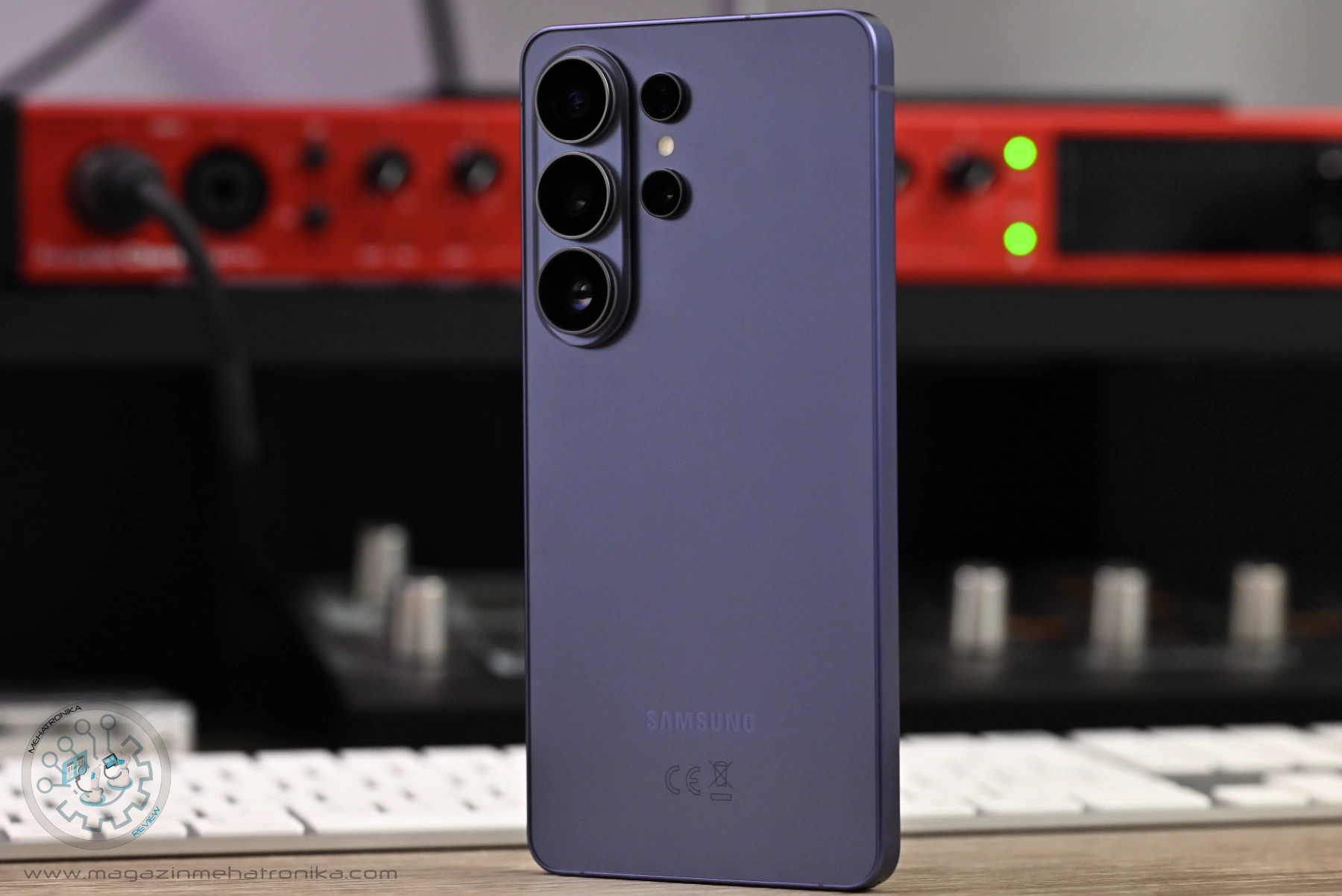
Samsung Galaxy S26 Ultra
The S26 Ultra is Samsung's latest-and-greatest S series handset, set to delight large-phone connoisseurs with its top-notch 6.9" screen (now with Privacy Display), performance and a solid camera system to boot. However, it's not without its flaws. A subpar speaker setup, flimsier-feeling and feature-lacking S Pen experience, and a camera bump that makes using the phone on tables difficult detracts from an otherwise excellent package, while Samsung's capable OneUI still remains a divisive bit of software that might sweeten the deal for some, while turn others away.
Pros
- The Snapdragon 8 Elite Gen 5 is a beast
- Decent camera performance
- New Privacy Display is handy
Cons
- Bad built-in speakers
- Lower-quality S Pen experience
- Pricey
It’s been a hot minute since we’ve last frolicked in smartphone land. Sure, the products that we normally write about have quite a bit of overlap with (consumer) smart devices, but it seems that every time we look away and back again, there’s so much that’s changed. Everyday tech progresses at a rapid, yet iterative pace. Each year brings the newest definitely-must-have killer feature, or product, or service, playing into that rather marketable fear of missing out that’s so common in the tech-savvy populace. But whether these features end up sticking around, becoming staples, or disappear into obscurity a year down the line is a wonderfully entertaining gamble to watch unfold, and perhaps partake in.
Sitting atop Samsung’s current-gen S26 flagship line, the S26 Ultra represents the company’s latest and greatest — bar the foldable tech. And this year, Samsung’s pretty confident they’ve got just the right new features and updates that make the S26 Ultra, as well as the entire S26 series, the definitive slate handset for enthusiasts and power users.
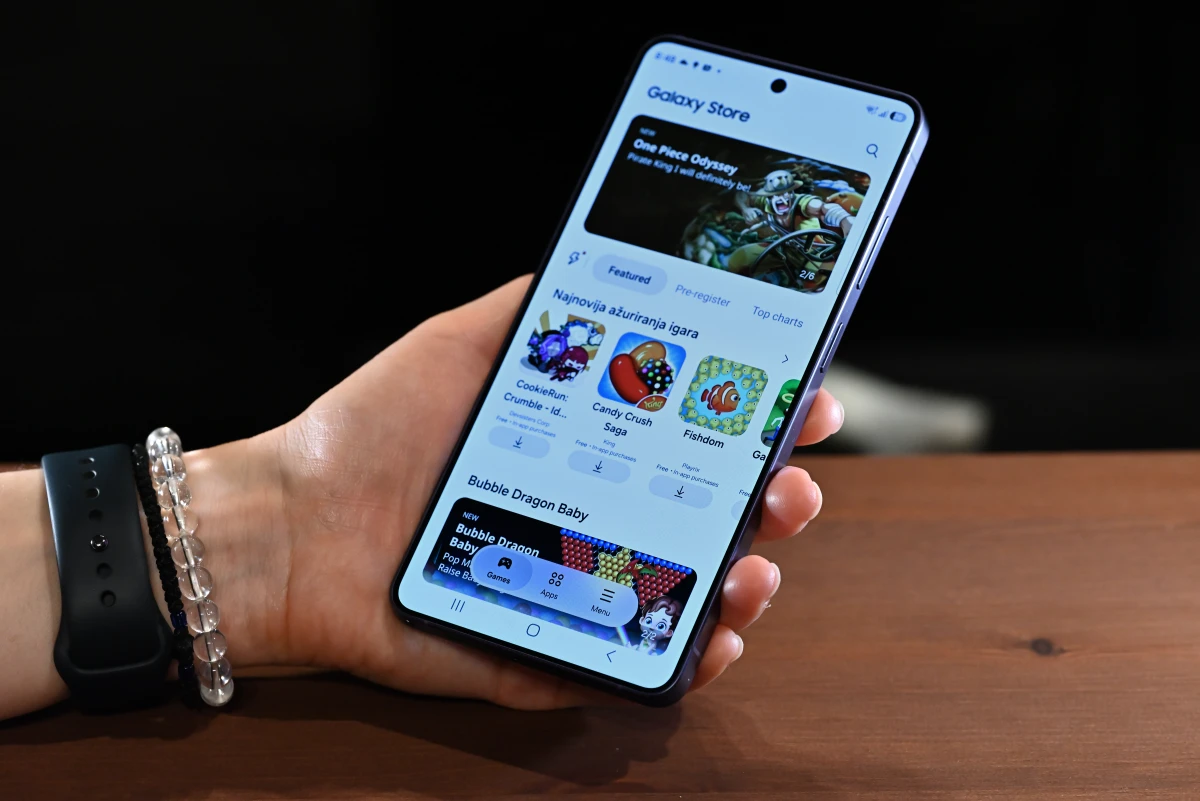
Samsung S26 Ultra headlines: the all-new, kinda-new, and not-new
There’s a checklist that always seems to be present in the design room where new phones get conceived. It goes something like: faster processor, longer battery life, better camera, better display. And the S26 Ultra checks pretty much every box when compared to its direct predecessor, the S25 Ultra. Let’s kick the review off by giving you a quick rundown of what’s new.
In place of a Snapdragon 8 Elite for Galaxy (effectively a Snapdragon 8 Elite Gen 4 with slightly boosted clock speeds), we now get a Snapdragon 8 Elite Gen 5 for Galaxy chip (with similarly boosted clock speeds compared to the stock version). The new chip brings decent performance gains. Both single- and multi-core CPU performance is ~25% higher, with GPU performance seeing a more noticeable ~50% bump in various tests.
The battery in the Samsung Galaxy S26 Ultra is not higher-capacity than the one in its predecessor. Both units pack 5000 mAh cells, though the newer Snapdragon chip in the S26 Ultra runs more efficiently, prolonging total battery life on a single charge. On top of that, the S26 Ultra does improve on another aspect of the battery experience — charge times. 60 W fast charging makes a debut (a first for Samsung phones!), though wireless charging and reverse wireless charging retain the same 25 W and 4.5 W spec from the S25 Ultra.
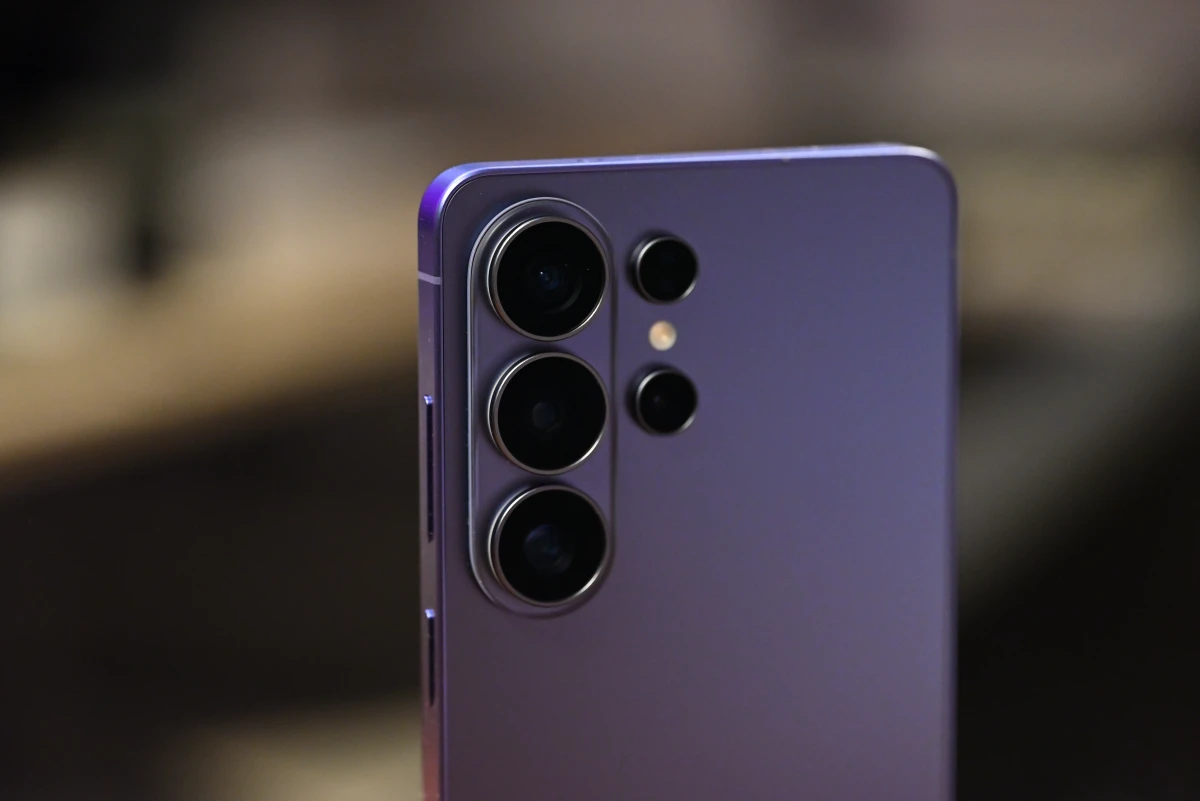
The Galaxy S26 Ultra’s back camera array features improved glass. The main camera now comes with a faster f/1.4 lens, and the ultra-telephoto too gets a bump to an f/2.9 one. This is roughly half a stop more light in both cases, which should help with overall image quality. Having enough light available to the sensor is one of the most important factors in ensuring that all the detail gets captured and doesn’t succumb to the inevitable noise floor. But despite all the computational photography wizardry (that’s equal parts impressive and convenient, but also responsible for overzealous processing and a tragic loss of fine textures), tiny smartphone sensors and associated optics can’t overcome the laws of physics and truly get on the level of real DSLR or mirrorless cameras and their weighty glass.
The screen on the new flagship is, at its core, the same brilliant panel found on the S25 Ultra. The 6.9” Dynamic LTPO AMOLED 2X panel found in these phones is as good as it gets. And to break down the marketing jargon here a little — Dynamic refers to the panel’s HDR capabilities, in this case HDR10+; 2X is Samsung speech for a 120 Hz display: twice the refresh rate of a typical 60 Hz one. Both phones also feature the same 1440 x 3120 resolution. However, there is one key difference: the all-new Privacy Display feature. By utilizing a special layer that Samsung dubs the “Black Matrix”, certain pixels have their horizontal light output greatly limited. By selectively keeping only these pixels on, the S26 Ultra can faithfully emulate the effect of a privacy screen protector, keeping prying eyes away from your sensitive information. Except this is one you can turn on and off with a press of a button. It’s a real party trick too, one that never gets boring to show off. And for my next act, I’ll tap a button, and — oooh — lookie at my phone go dark!
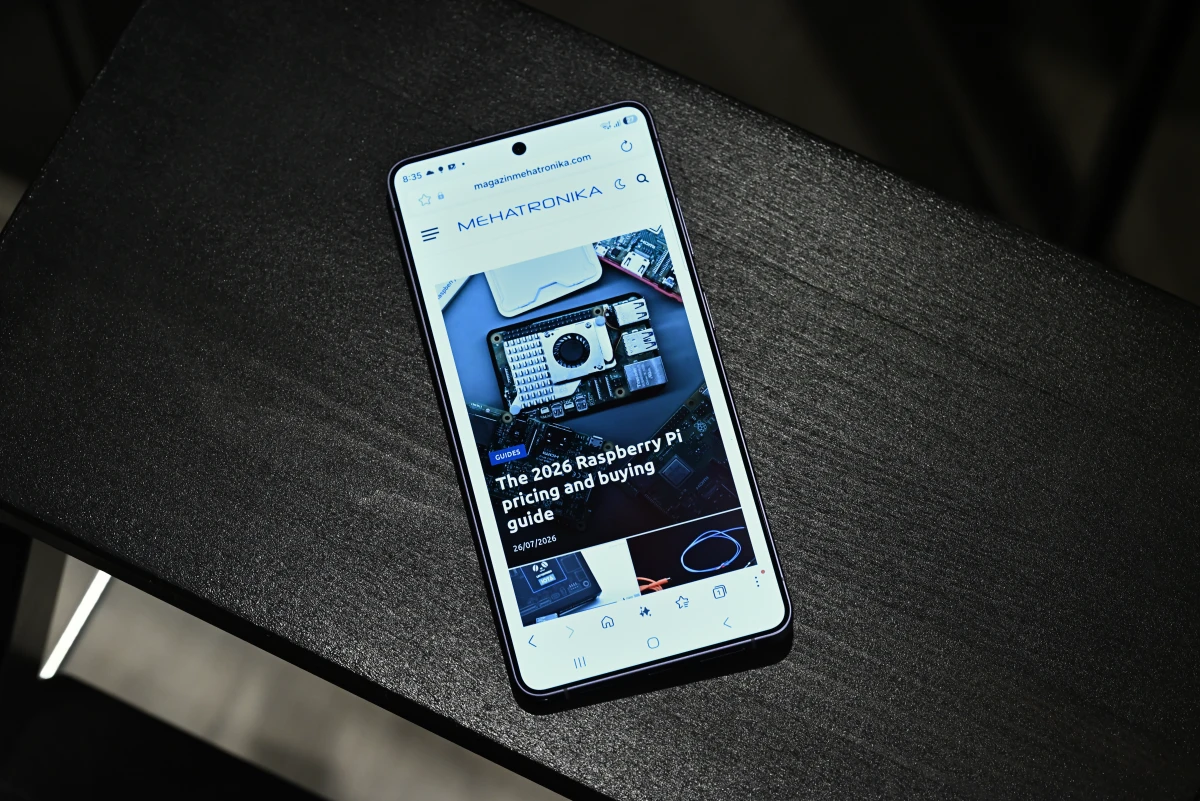
Several under-the-hood software and hardware systems also got a facelift. The S26 series brings an improved ProScaler AI — Samsung’s image upscaling and enhancing system first introduced in the S25 series. The mDNIe system also got tweaked. This system principally controls a proprietary type of temporal color dithering (akin to the more common FRC), obtaining 10-bit color out of a natively 8-bit panel, thus massively reducing color banding and delivering higher-quality visuals across the board. Compared to traditional FRC, it’s supposedly a much gentler, more flicker-free method, though we’ve seen reports of the odd user still finding it uncomfortable to look at the screen for prolonged amounts of time. mDNIe also intelligently controls color profiles and HDR, especially when driving the panel near its peak 2600-nit brightness, to ensure colors stay vibrant across the entire brightness range.
And that’s it! Perhaps reading through this left you a bit underwhelmed. Aside from Privacy Screen, there’s really nothing new here. Sometimes, that’s okay, though, and polishing what’s already there can be a lot more important than reinventing the wheel. With that in mind, let’s check out how this year’s packages fares as a whole.
First impressions and design: (not) taking notes
Greeted by a very similar box to last year’s, we weren’t wrong to expect a familiar sight with the lid off. The Samsung S26 Ultra, cradled comfortably in its pressed paper pulp tray. Gone are the days of getting extra goodies in the box. The S26 Ultra ships with a SIM ejector pin and a USB-C charging cable only. Bring your own charger and headphones.
The S26 Ultra comes in four colors: Cobalt Violet, Sky Blue, Black, and White. When ordering directly from Samsung online, two more exclusive colorways are available: Silver Shadow and Pink Gold. Our review unit is of the Cobalt Violet variety, but from what we’ve seen, all flavors of the unit look just as tasty. Our unit is also configured with the basic 256 GB/16 GB spec, but that shouldn’t really hold it back: it’s plenty for anything you might want to throw at a modern phone.
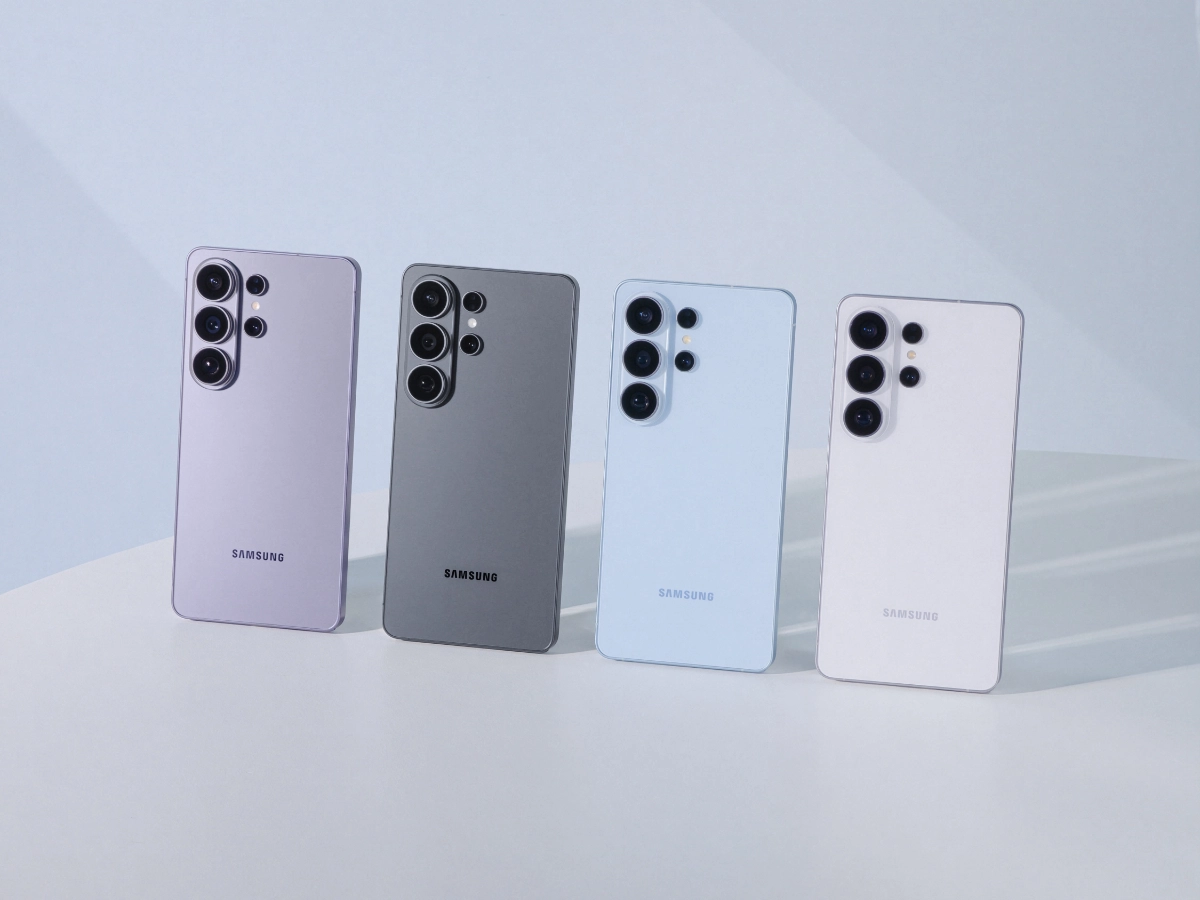
Before we continue, we’d like to mention that Samsung lent us our review unit of the S26 Ultra. If you’re reading this, the unit’s already left our hands. We don’t take any direct compensation for our review work, though retaining units for future reference is always rather helpful — just look at the difference it makes in our other work. As always, all opinions presented here are strictly our own, and no third party had any say in the making of this article.
We, unfortunately, had to miss out on the oh-so-satisfying protective film peeeeel, since we weren’t the first to get their hands on this unit. The second we picked it up, the S26 Ultra immediately felt a touch lighter than its predecessor. The more rounded edges and thinner frame make the phone more comfortable to hold, though we’ve found that the camera placement often gets in the way of a left-handed grip, with — at least our — fingers always comfortably landing right on the lens and smudging it up all nice.
The camera bump, no, island is also a nuisance when using the phone on a flat surface. Unless you’re willing to slap on a rather chunky case, the S26 Ultra is a proper seesaw on a table, made worse by the fact that its equilibrium state sits somewhere in between, with only two corners of the phone resting on the table (or rather, one corner and one camera). This makes every single tap rock the entire device, which then keeps… oscillating. For reference, the S25 Ultra’s discrete camera rings protruded just 2.4 mm from the body, while the S26 Ultra’s camera bump nearly doubles that, at 4.5 mm.
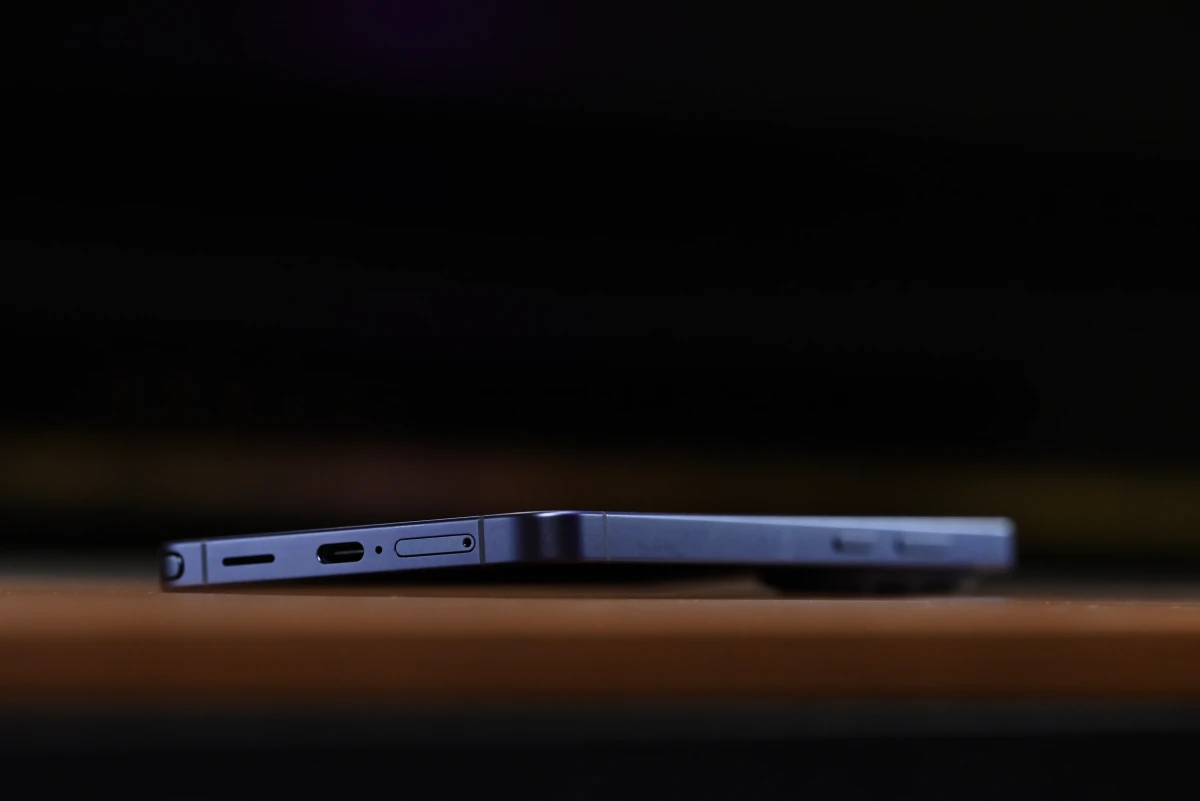
Weighing at 214 g, the S26 Ultra is 4 g lighter than its predecessor. (See, we weren’t wrong!) Some of this is achieved thanks to a slimmer 163.6 x 78.1 x 7.9 mm footprint. (Making it the thinnest Galaxy Ultra phone ever!) But, perhaps more importantly, the S26 Ultra makes the switch back to aluminum, after both the S24 Ultra and S25 Ultra used a more premium titanium body.
Samsung isn’t alone in this decision, as Apple also stepped away from titanium in its latest iPhone 17 Pro lineup. Both companies did this with good reason: titanium is hard to work with, is less cushioning, has worse thermal performance, and mandates a thicker chassis. But, boy, does aluminum feel like a step back when held. It’s a very subjective change (it’s hard to claim that any metal chassis feels anything but high-end), but the devil’s in the details — and titanium really does feel nicer.
Nevertheless, the Galaxy S26 Ultra remains a large phone, just like all its Ultra predecessors, with a heft that’s noticeable. This author comes from an iPhone mini background, begrudgingly moving onto a regular-sized Pro. And while there are definitely people who prefer larger displays on-the-go, the Ultra (and Apple’s Pro Max sizes, among others) might be pushing the envelope a bit too far. Having the company’s best hardware locked behind a form factor that’s not for everyone is a bit disheartening for smaller phone lovers, yet we’re sure that Samsung diligently does its market research and likely saw that there’s not enough demand to justify R&D costs of such a device.
Finally, the S Pen, the Ultra range’s signature feature, also got some design tweaks. Following the phone’s svelter frame, the S Pen is now thinner and comes with an asymmetrical top that follows the chassis’ curvature. We’ll be very frank about it — this S Pen feels worse than the one that came before it. It’s uncomfortably thin, the pop-up top feels creaky to operate, and now that it’s asymmetrical, you have to take care of its orientation when you push it back into the phone.
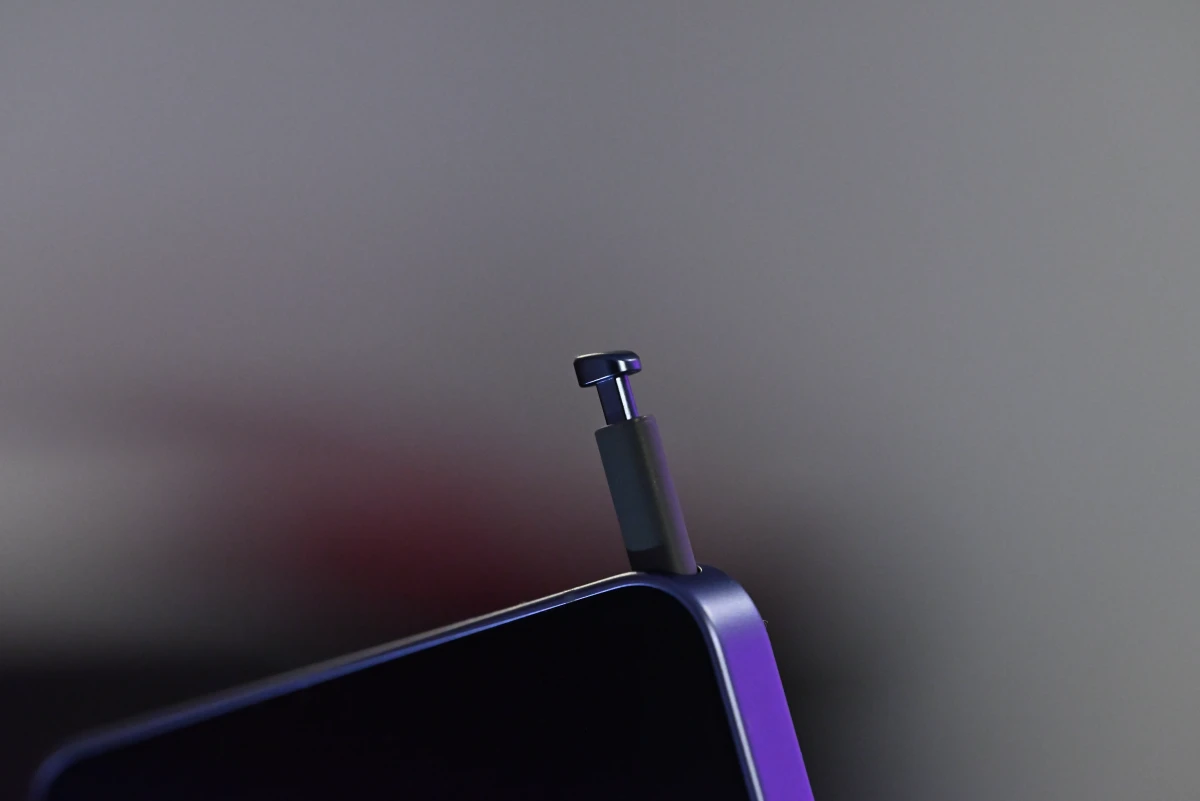
…not like the S25 Ultra’s S Pen was particularly loved, either, as it dropped Bluetooth connectivity found in its predecessors, thus removing a lot of the utility that was a core part of the S Pen experience. This was supposedly done due to space constraints within the phone. Is this a sign that one day in the future, we’ll see the stylus disappear from Samsung phones altogether? Perhaps space constraints will eventually push the pen digitizer layer out of the screen…
Galaxy S26 Ultra specs and performance: leading the pack
Taking a peek at the S26 Ultra’s innards eased some of our gripes with the external design. The Qualcomm Snapdragon 8 Elite Gen 5 is a beast, which is true of most of Qualcomm’s processors since the company started developing its own custom Oryon cores. This chip features two Oryon V3 Phoenix L cores clocked at 4.74 GHz and six Oryon V3 Phoenix M cores clocked at 3.62 GHz. Much like Arm’s Cortex-X (and C1-Ultra) cores, Phoenix L cores are positioned as prime high-performance options. Phoenix M cores sit somewhere in between Cortex-A7xx cores (which were, historically, considered “big” performance cores; now considered high-performance efficiency options) and prime cores, ushering in a new category of sub-flagship high-performance cores together with Arm’s own C1-Premium design.
Bear in mind that Qualcomm’s publicly available documentation refers to the two types of Oryon cores only as “prime” and “performance” (and, good luck trying to figure whether these are really the same cores used in something like a Snapdragon X2 Elite), with the Phoenix M/L branding being prominent in community discussions, in certain media, and especially in leaks. We’re choosing to go with the flow here as it makes for a more readable article — but don’t blame us if these names end up being nonstandard.
Benchmarks show the Phoenix cores pull the Snapdragon 8 Elite Gen 5 ahead of pretty much every other smartphone chip currently on the market. Even the Apple A19 Pro trades blows with it, succumbing in multi-core tests. And don’t forget the fact that the S26 Ultra features a Galaxy version of the chip, with slightly higher clocks. Standard versions of the chip feature 4.63 GHz Phoenix-L cores, as well as a GPU that’s 100 MHz slower.
Geekbench 6 results showcase this pretty well. With a 3773 single-core and a 11438 multi-core score, the S26 Ultra delivers some of the best scores out there. The iPhone 17 Pro Max’s A19 Pro does slightly pull ahead in single-core tests, but the Snapdragon 8 Elite Gen 5’s two extra cores deliver a notable ~18% multi-core boost. Compared to the last-gen S25 Ultra, we see a general ~25% performance increase in both categories.
Geekbench 7 delivers a similarly brilliant set of scores for the S26 Ultra: 3202/10828 for single- and multi-core results. This time, the S26 Ultra pulls ahead of all of the competition, delivering chart-topping single- and multi-core scores. Not a whole lot to comment on here — Geekbench 7 has a more real-life optimized set of benchmarks that relies even more heavily on certain extension sets, as well as a more true-to-life multi-core implementation.
For AnTuTu scores, we’ll have to drop the iOS devices out, as scores aren’t really comparable cross-platform. However, compared to the S25 Ultra, our S26 Ultra scored ~40% higher. Granted, this includes both CPU and GPU results, but we’ve already seen ~25% improvements in CPU performance alone during previous tests. Such a bump in a single generation is noteworthy and rather commendable.
Talking about the GPU, the Galaxy S26 Ultra features an Adreno 840, clocked at 1.4 GHz. It’s arranged in 12 compute units (CUs) spread across 3 slices, with 128 shading units per compute unit, totaling 1536. Going head-to-head with the Arm Mali G1-Ultra, another 12-CU design with 1536 shading units, the Adreno 840 delivers more stable performance, but ultimately falls a tad short of the G1-Ultra’s sheer number-crunching prowess afforded by its 1.7 GHz clock speed. The Adreno is similarly a touch behind Apple’s current-, and at times, even last-gen mobile GPU offerings.
Geekbench 6’s GPU benchmark shows the scales tipping, with even the older iPhone 16 Pro Max pulling ahead of the S26 Ultra. The gap between the iPhone 17 Pro Max and the S26 Ultra is immense here. Keep in mind, though, that our Android results were obtained with using Vulkan API, while iOS results utilize Metal — rendering the score baselines somewhat different. In real-world usage, Apple’s GPUs often do have the upper hand, but the exact results might differ from app to app, as well as its optimization for the platform.
Another set of similar scores comes from Geekbench 7. Newer GPUs are less affected than older ones as the newer benchmark relies more heavily on modern architectural features, but still — the order of scores stays the same.
3DMark shows exactly what we talked about regarding optimization: the Wild Life Extreme benchmark leans heavily in the Snapdragon’s favor, with scores that outperform Apple’s chipsets by roughly ~30%. For a benchmark that happens right in front of your eyes and shows frame-rate numbers, it was hard to claim anything but that the S26 Ultra won this round hands-down.
Notably, though, the Galaxy S26 Ultra does heat up a fair bit during most benchmarks. Less so than its predecessors, granted (is this where the aluminum chassis finally vindicates itself?), but enough to cause pretty noticeable thermal throttling in warm(er) environments. The results in all of the tests above was obtained in an ambient temperature of 23 °C. For fun, we checked out results in a 30 °C room — and boy. Geekbench results managed to hold on, but other GPU results tanked. AnTuTu spat out a score of 3297703, while 3DMark gave this run just 5318 points. That’s a ~15% drop in AnTuTu, and a ~33% drop in 3DMark scores. Ouch.
We’ll take a page from our SBC playbook and take a look at the RAM configuration too. Depending on your choice of storage, the S26 Ultra comes equipped with either 12 GB or 16 GB of RAM. Regardless, it’s of the LPDDR5X kind, running at a blazing-fast 5333 MHz. This works out to 10.7 Gbps per bus lane! Unfortunately, Samsung doesn’t disclose the actual bus width of the memory setup, so we’re left guessing in the dark. Given that we’re working with LPDDR5X, which uses 16-bit wide memory channels, it’s likely that the memory bus is either 32- or 64-bit wide, putting total bandwidth between 42.8 GB/s and 85.6 GB/s. Watch Samsung use some type of weird 48-bit bus just to prove us wrong.
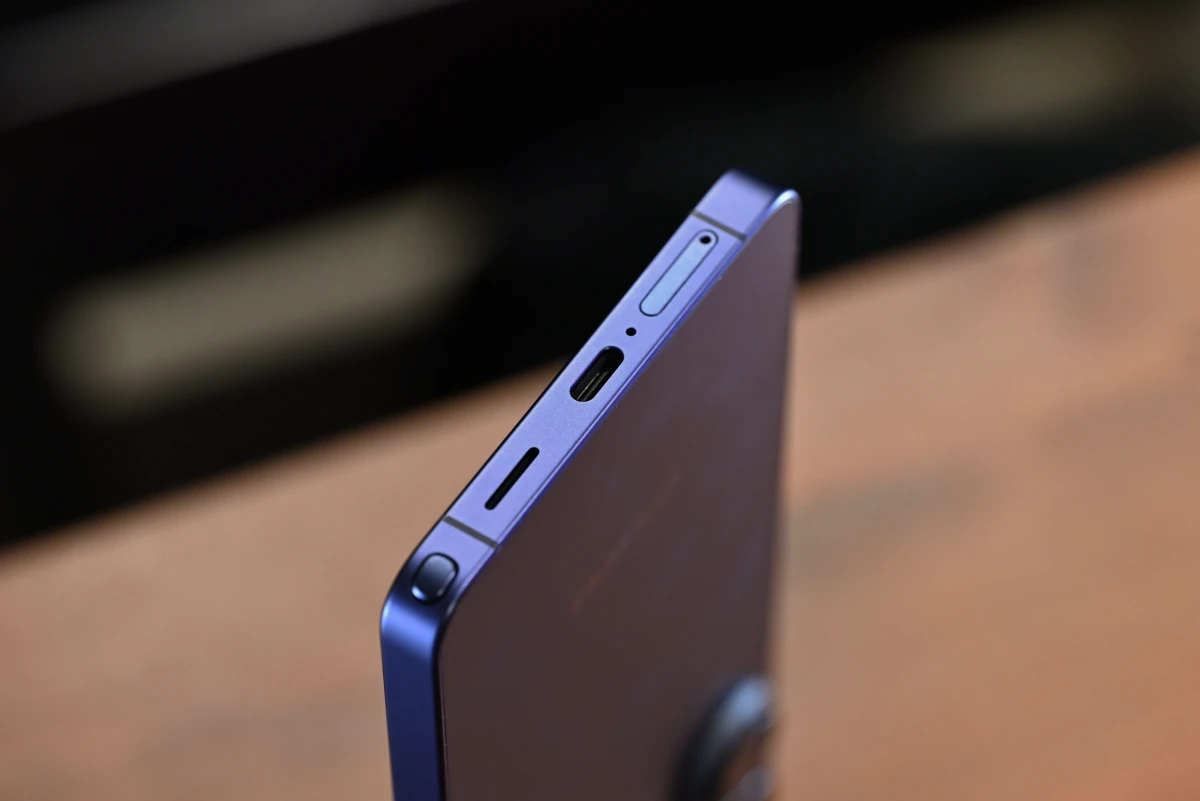
Connectivity-wise, the S26 Ultra features a USB 3.2 Gen 1 port, Bluetooth 6.0 (with Bluetooth LE, as well as A2DP support), as well as Wi-Fi 7 (802.11a/b/g/n/ac/ax/be) support. Testing the internet speeds obtainable through our Wi-Fi 7–capable router at the lab, we measured a peak of 1883 Mbps download and 1579 Mbps upload speeds, using the Ookla Speedtest app. These numbers were obtained in two separate runs, though we never saw results drop below 90% of these during any of the runs.
Battery life
Samsung claims a 31-hour battery life during video playback. In our actual mixed daily use, a single charge lasted anywhere between 12 and 16 hours. This is pretty great, especially when mixed with 60 W fast charging. Taking only around 45 minutes to fully charge, and 15 minutes to get up to ~50%, the S26 Ultra feels like it never runs out of juice. Plenty for the everyday out-and-about.
This is all despite the fact that the S26 Ultra uses the same 5000 mAh battery design found in the S25 Ultra. But just because something is the same doesn’t mean it’s bad. Despite the oftentimes negative outlook on if it ain’t broke, don’t fix it in the modern tech world, sometimes it really does hold true.
We didn’t spend as much time as we’d liked with the older flagship, but we regularly averaged somewhere between 60 and 90 minutes less than on the new handset, which works itself out to a ~10% improvement in battery life. That’s not insignificant, especially when it’s purely driven by a more efficient chip architecture. It’s also a very good indicator that Qualcomm is headed in the right, more power-efficient direction. And it’s especially good since other phones using the company’s chips are also likely to reap similar benefits in the future.
Display
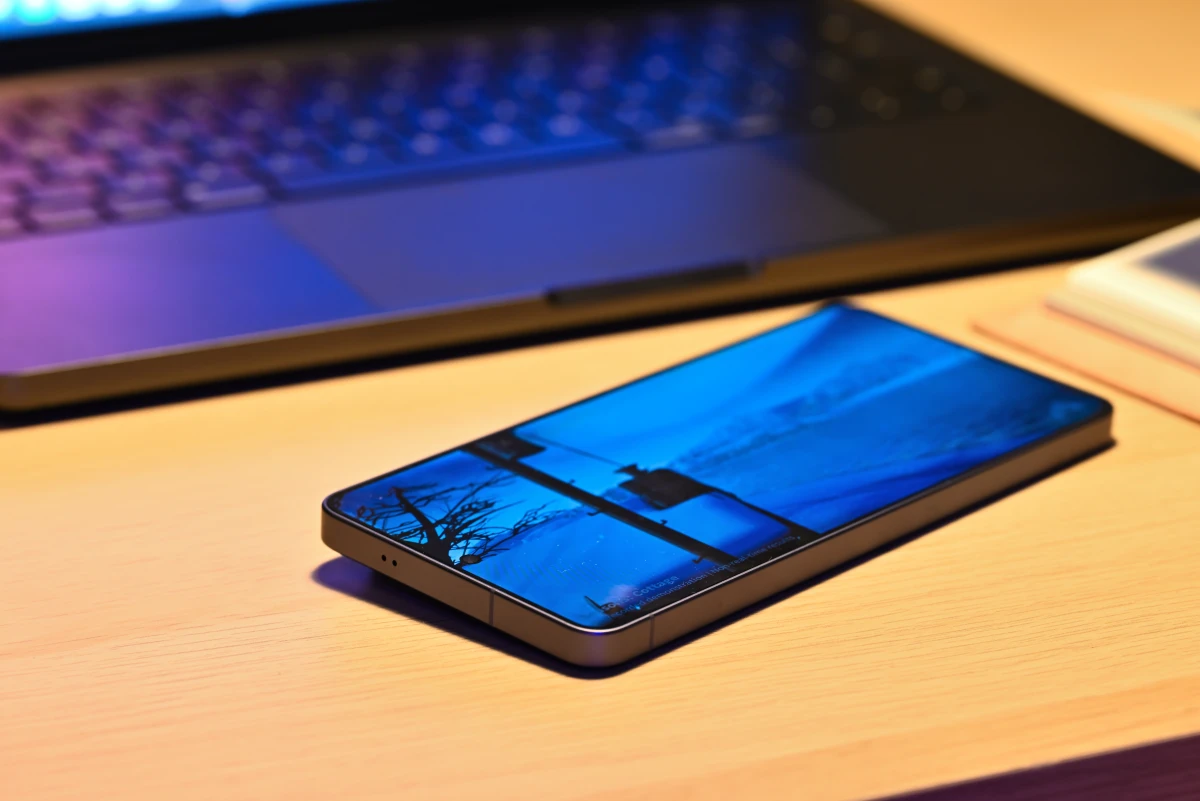
The display on the S26 Ultra is as beautiful as ever. This isn’t the first time we’ve said this today. To get the most out of it, you’ll likely immediately want to head on over to settings and change the default resolution up to the native 3120 x 1440 QHD+ setting. This also enables the ProScaler AI, which automatically upscales lower-resolution content, making it appear sharper on the high-resolution panel. Samsung warns this uses extra battery, but in our experience, the differences are minuscule.
The color depth and general level of detail on this panel are great. It gets incredibly bright, and produces nice, saturated colors that come together and form an image with a real, three-dimensional pop. Sure, it’s not the most color-accurate display out there, but it’s damn close, and switching the display mode from Vivid to Natural helps a lot. HDR highlights are blindingly bright, and contrast is, as is the case with all AMOLED screens, basically perfect.
And then comes the shiny new Privacy Display tech! There are two levels to choose from: the standard setting which you can enable right away from the quick settings menu, and a more comprehensive maximum privacy protection mode that needs to be enabled from the settings app.
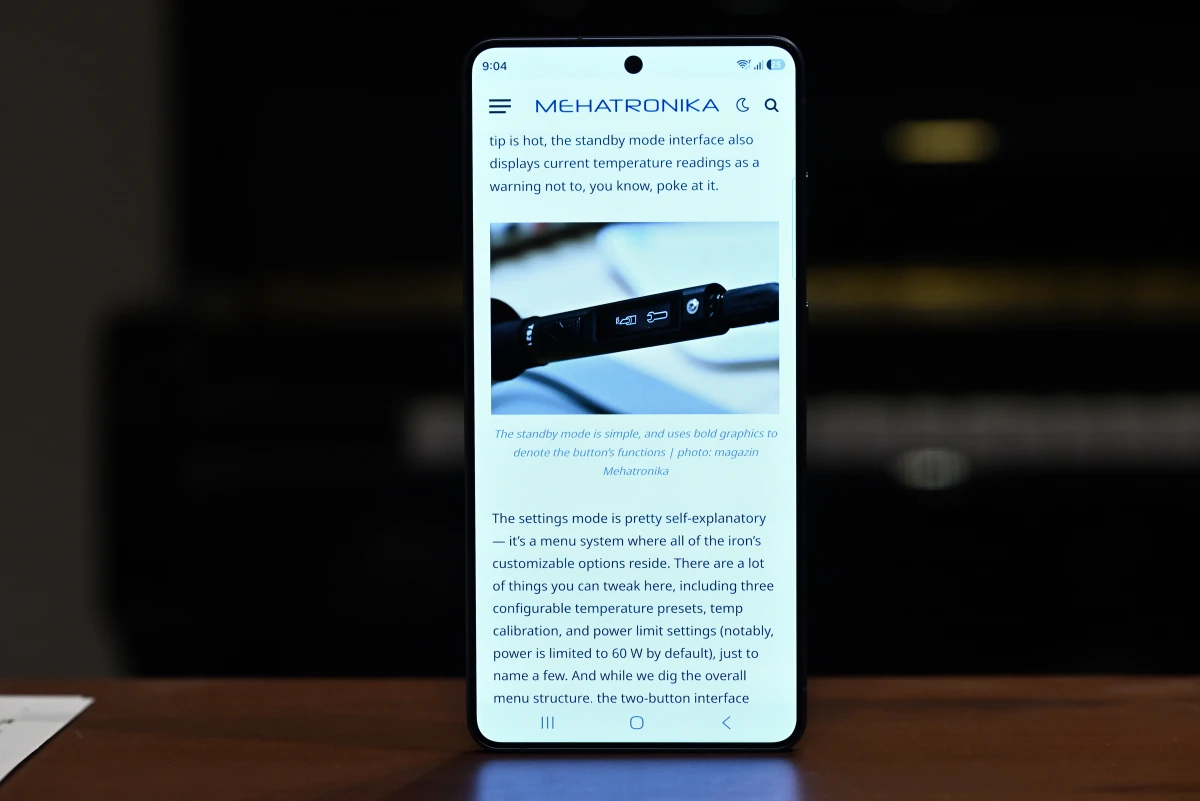
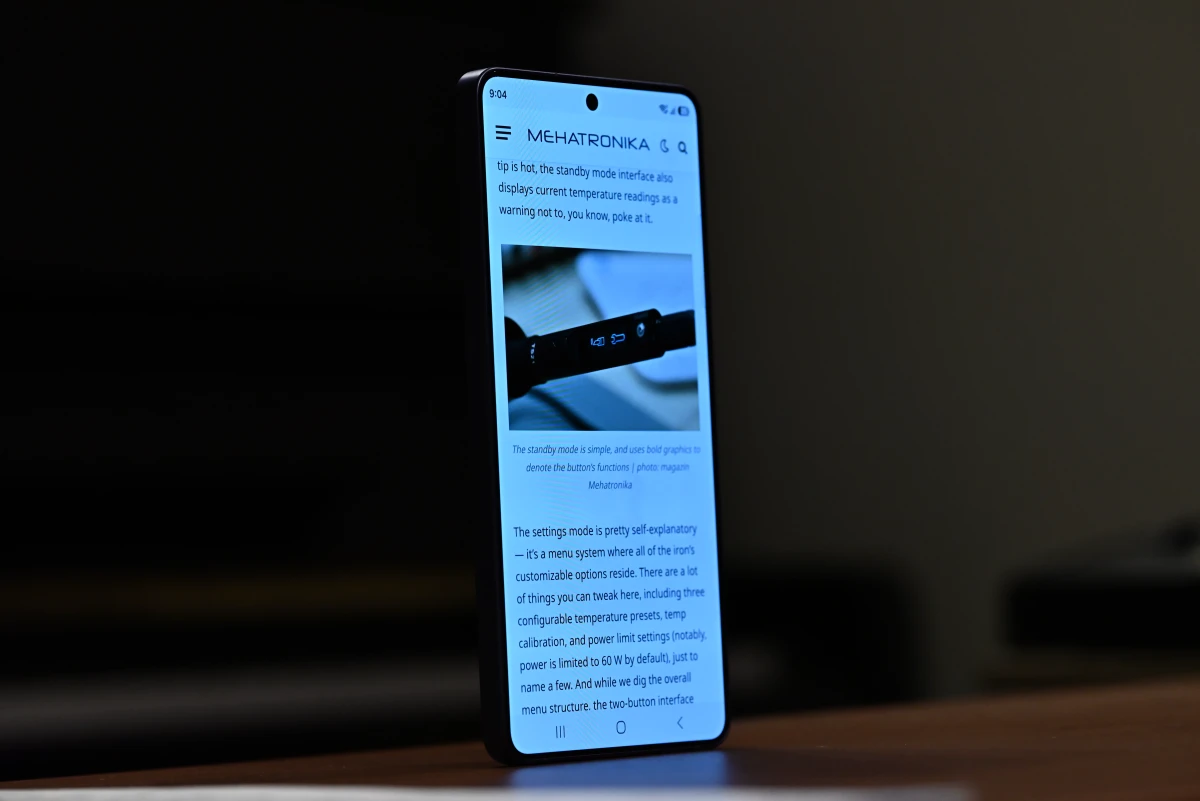
Both of these do the same thing — they wreck your viewing angles back into the TN-panel middle ages. But that can be a good thing, as it gives you off-angle peeping-protection. Both modes come with minor image quality tradeoffs. The total panel brightness noticeably drops, even when viewed head-on, while maximum privacy mode also decreases the contrast of the screen. However, the effect genuinely works, and makes it rather difficult — or outright impossible — to see content unless you’re the intended user.
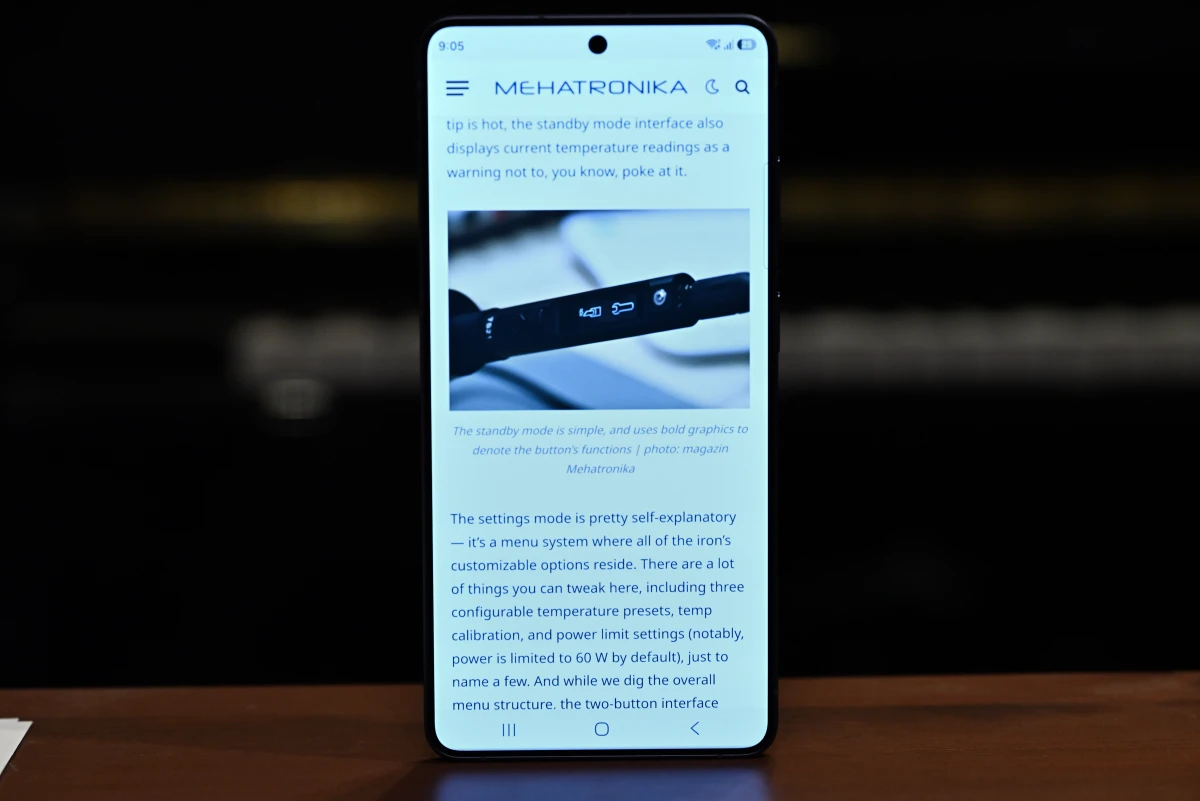
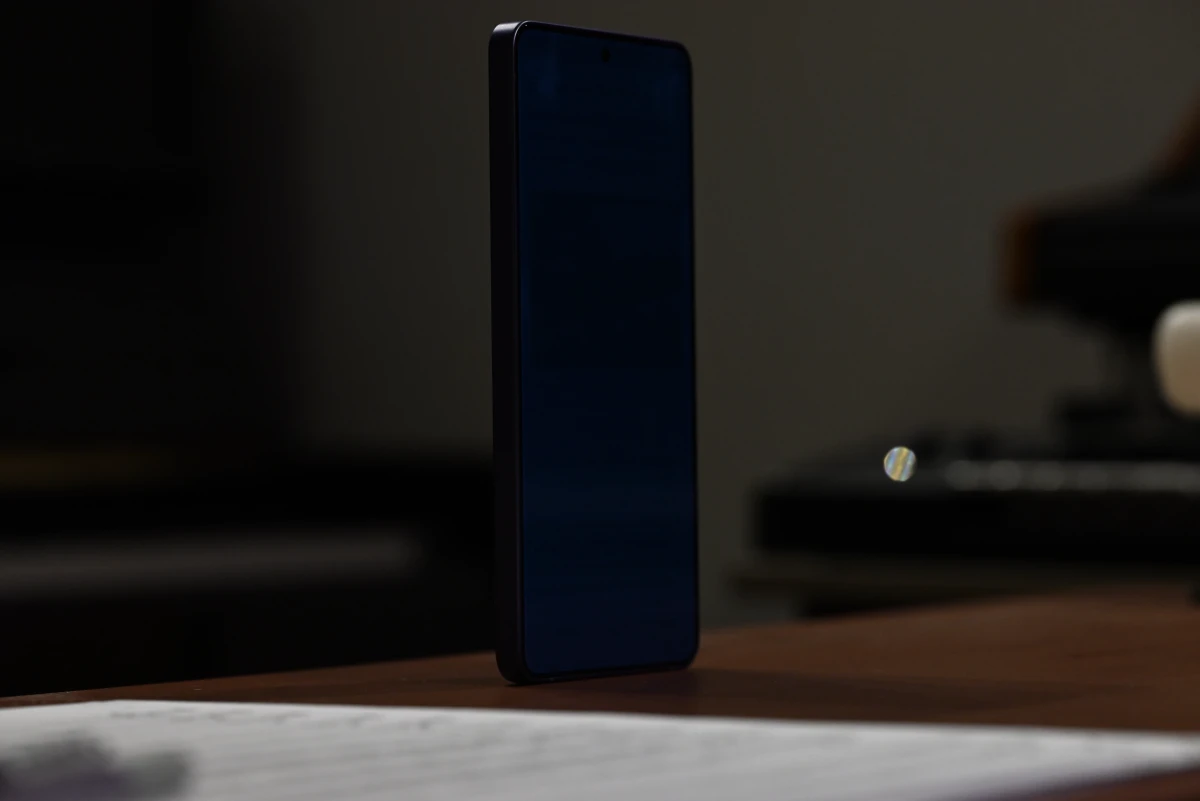
And with it being so easy to turn on and off, there’s no justifiable reason to complain about these quality differences. Toggle it on when needed, and off when you don’t; or just use the very handy automatic setting that intelligently enables Privacy Display when you open certain apps or enter passwords and other sensitive data.
However, there’s a catch. Something about the new privacy features made Samsung have to downgrade the anti-reflective coating on the S26 Ultra’s screen (this is never explicitly stated, but we doubt it got downgraded just because, with the rest of the panel tech identical). And that’s a bit of a permanent change. It’s a noticeable difference, and one we’d gladly show off if we still had our S25 Ultra review unit with us. But just trust us on this one: the screen is more reflective, which makes it harder to see in direct sunlight or very well–lit rooms, though it’s not something that the panel’s high maximum brightness can’t overcome.
At the end of the day, the screen is one still a world-class one. For a Samsung phone, this really isn’t surprising. Whether you’re streaming your favorite shows, scrolling through articles or feeds, or gaming, you’ll be hard-pressed to find reasons to be unhappy with the way the S26 Ultra displays all your content.
Audio
Like many current phones, the Galaxy S26 Ultra uses a stereo dual-speaker array, with the earpiece speaker performing double duty. The audio quality is okay for a phone, but we’ve heard better from flagship devices released in the past few years. It’s fine. Movies sound decent, music sounds acceptable. End of story.
…yeah, no, we can’t just leave it at that. We’ve an office stocked with professional musicians and audiophiles, and the speakers are… well, they’re phone speakers, for crying out loud. We don’t really expect them to sound like dazzling high-end KEFs or Focals. No. But, god, these are tinny, metallic, with bad-if-somewhat-punchy dynamic control, an annoyingly buzzy upper mid-end and a horrible, innate V-shaped curve that tries to make up for it all, but falls short due to a complete absence of any proper bass response, all the while somehow managing to muddy up the rest of the range. Oh, but what they do do well is get obnoxiously loud, imparting their unique character upon any instrument or vocal unlucky enough to find itself reproduced on them. On top of that, the instrument separation is subpar, with the soundstage being impressively wide (likely due to the phone’s sheer size) — we’ll give it that — but also outstandingly cluttered spectrally.
Listening to Joe Hisaishi’s famous Merry-Go-Round of Life wasn’t great. Sure, it was loud and had punchy presence, and that’s perhaps all that most people ask from a phone speaker. But we were taken aback by the metallic, almost warbly violins without discernible detail in bowing technique, a cello whose only true contribution was its overtone buzzing, a piano whose hammers seemed to feature petrified felt and a vibraphone part that lost all of its depth in the overall compressed sound. And let’s not talk about the tutti moments. There’s just a processed sound quality to it all, for the lack of a better word.
Chick Corea’s You’re Everything was a fun listen on the system, though the percussion sounded distant and heavily top-ended, without any of its body and mid-end punch. Vocals also lacked body, and the bass was, unsurprisingly, absent. Curiously, the rhythmic electric piano layers worked well with the punchier dynamics, which drove the track forward.
This all wouldn’t be such a deal if an almost three-year-old iPhone 15 Pro with pocket lint stuck in its speaker grilles didn’t deliver a more dynamically precise, natural sound. Sure, the soundstage is spatially narrower, but the fidelity difference is very audible. Given the very flagship price (and we’ll get to this near the end of the article), you’d expect a little better than a pair of screamers in a can, too loud for their own mediocre quality. It’s perhaps something Samsung can give more attention in the future. Looping back to the way we’ve opened this section: these are perfectly fine for the average user consuming media, but they’re a far cry from what we’d consider best-in-class.
The story with microphones is similar. These sound decent for what they’re worth and will do just fine for audio and video calls and whatnot. Competing phones, however, deliver much higher-quality audio recording. If you’re ever trying to do some video work with the built-in mic or simply record a quick musical sketch, you’ll find yourself with a rather boxy-sounding recording. At that point, just opt for a pair of external lavs.
The S26 Ultra camera: quality and demo shots
Almost every single one of the photos you’ll see illustrating our reviews was taken on a full-frame mirrorless camera. It’s safe to say that we’ve got a bit of a personal vendetta against smartphone cameras, and it’s only getting worse with the ever-increasing churn of more and more computational photography features.
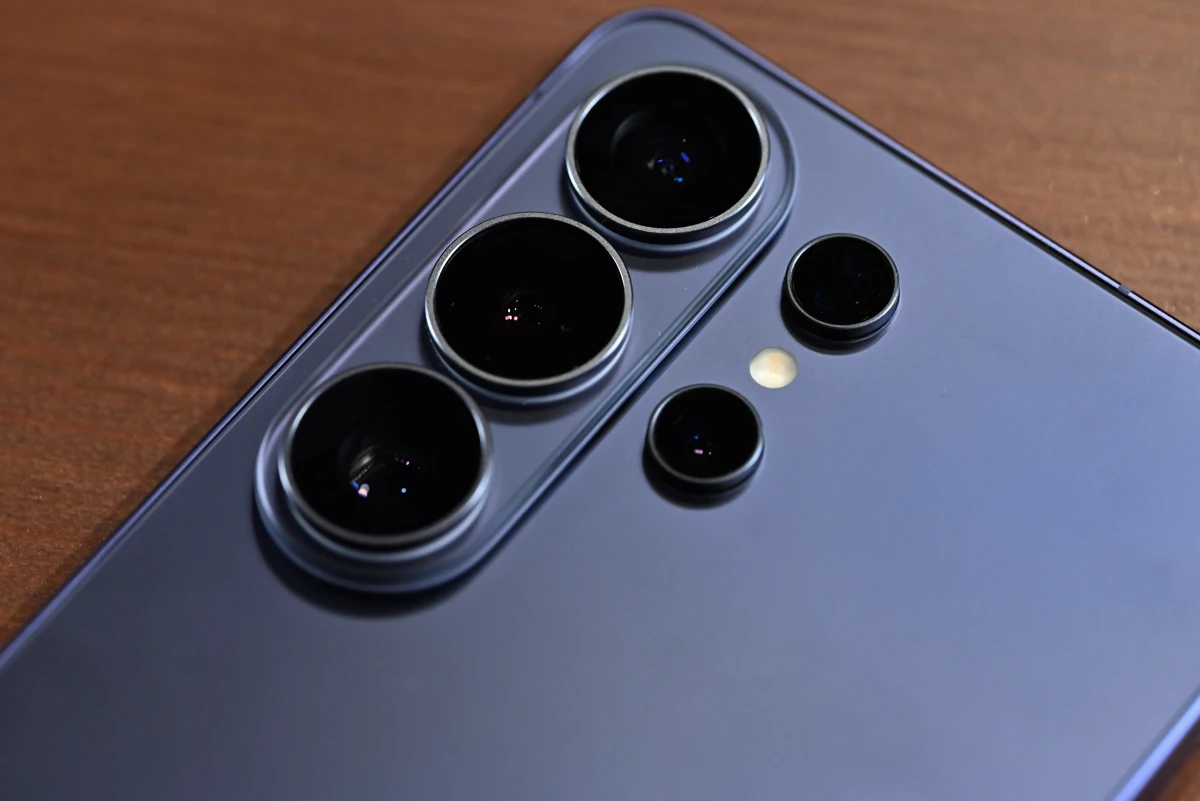
But let’s preface things by saying that Samsung phones undoubtedly have solid camera hardware. The S26 Ultra features a familiar smorgasbord. A 200 MP main camera, fitted with a 24 mm–equivalent lens with an f/1.4 aperture, a 50 MP periscope telephoto camera with a 111 mm–equivalent f/3.4 lens, as well as an auxiliary 10 MP telephoto camera fitted with 67 mm (we’ll stop with the –equivalent, you get the point) f/2.4 glass. Finally, there’s an ultra-wide f/1.9 120-degree camera that doubles as the phone’s macro shooter, as well as a flash and a laser autofocus system that aids the main dual-pixel phase-detection autofocus. Oh, yeah — and there’s the 12 MP 23 mm f/2.2 front camera, as well. All in all, this is one of the best setups on any smartphone currently on the market.
We’ll admit, there’s a certain charm to having all this photo-taking utility in your pocket (provided, naturally, that your pockets are large enough). Thing is — that charm can get diminished when various algorithms start wrestling control away from the user and into their cold and calculated computery hands, wielding brushes dipped in oversaturated color and hallucinated fine details.
But the only real test for any camera is taking it out for a spin, so let’s see how some shots come right out of the S26 Ultra.




Four photos in this first lot! A (surprising) summer drizzle, taken from a balcony. Click on each shot to get a proper, full-resolution image. The first, wide-angle photo was taken at the default 12 MP resolution, and shows an overall sharp and well-balanced image, with a strong dynamic range. (Always the forte of smartphone photography!) The greens and oranges of the foliage look natural, and the sky pops, with creamy and wispy clouds.
The wide-open f/1.4 aperture on the main camera allows it to capture enough light for a fast enough shutter speed, letting it freeze the falling water droplets in mid-air. Zooming in on the details reveals the classic “painted over” look in the fine details caused by the image optimizer AI. It’s also over-sharpened. Look at the foliage in the background, for example, and its notable lack of definition in areas where it meets the sky. Similarly, there’s a loss of detail in the shadows.
The second photo is of the same scene, now taken with the ultra-wide lens. A smaller aperture means that the exposure meter went for a somewhat longer shutter speed. Besides that, the photo is much the same, though the color processing does seem to lean a bit more vivid this time around, and the details seem just a touch muddier.
The third, telephoto shot, was taken at the native 5x zoom level, with the telephoto lens. There’s a solid level of detail here, and the photo might be the most tonally accurate of the bunch. The signature AI dithering is still present — get used to it — and is especially noticeable on textured areas of buildings. Look at the brick chimney stacks, for example, and their notable lack of brick.
Finally, there’s a 200 MP high-resolution photo. (Our server cries a little every time someone goes to click on this one.) To be honest, the entire 200 MP feature seems a bit gimmicky, driven by marketing desires to slap ever-increasing megapixel counts on products. On top of that, flaunting the hundreds of millions of pixels in their phone cameras seems to remain a favorite activity of many an owner. But increasing the number of independent sensor pixels decreases their individual light sensitivity, requiring more light and longer exposures. This scene was very well-lit, so that was no issue — and yes, fine details are more legible, which should be evident when zooming in — but the question of real-life utility remains. Post-processing algorithms take a hold of these 200 MP pictures too, and the result is far removed from what even a 24 MP photo looks like coming out of a real mirrorless or DSLR camera. There’s an intermediate 50 MP setting too, but during all of our testing, we’ve found that default, 12 MP photos truly look the best, as they leverage the most light, getting the maximum out of limited phone hardware.



Here’s an assortment of some close-up photos. The S26 Ultra’s ultra-wide lens has excellent macro performance, and is able to focus within mere centimeters away from the subject. The CMYK digital printing pattern is clearly visible in the first example. The second shot is here chiefly for size and color reference, taken with the phone’s 24 mm main camera. The automatic systems did a fine job keeping the overall white balance and hues consistent.
Finally, pushing the ultra-wide lens to the near end of its focus range, we got our third and final shot. Yum! You can see the paper fibers and even the cyan dots that make up the black areas. This is good — great even, especially from a phone.











And now, some assorted street shots. All of these were taken at 12 MP, at various zoom lengths. We won’t be commenting on individual photos. Take some time and look at each one, and try to notice if there’s something that irks you about it. For us, there’s some oversaturated color here and there, but the S26 Ultra’s camera system does a good job at making all of these everyday scenes look, well, good.


We’re highlighting this pair of photos because something weird happened here. These two were taken mere seconds apart, with the only change being the megapixel count: the first photo is a 12 MP one, while the second one is 50 MP. That’s definitely not what a 50-megapixel photo should look like, but we’re willing to chalk it up to a software bug. If anything, it’s a wonderfully stark demonstration of the underlying processing being done here.





Finally, a quick little zoom sequence — starting with one of the only photos in this review taken with the auxiliary 67 mm telephoto lens (with a 3x zoom), and working our way up through 5x, 10x, 30x and 50x zoom, all captured with the main periscope telephoto lens. There’s definitely a loss of quality once you move away from optical zoom and push into the digital range, but it does the job in a pinch. Well, all but that last 100x photo. That one just doesn’t seem all that useful.
So, in conclusion? Many of these shots are social-media ready. Would we rush to the print shop to make large posters with photos taken on an S26 Ultra? No, never, there’s not enough control and the quality just isn’t there yet, but perhaps that’s not the point of a phone camera setup. All the AI and algorithmic smarts help an everyday user, who’s perhaps never dabbled in photography, get snaps that look perfectly fine on small phone screens, where they’re the most likely to be seen. Sure, you should roll your eyes when 200 MP figures, and neologisms such as “optical-quality zoom” get thrown around, but that doesn’t detract from the fact that the core hardware can get quality results. And, there’s an age-old adage: the best camera is the one you actually have with you, and in many cases, that might just be your phone camera and not a bulky mirrorless with an 800 mm lens attached to it.
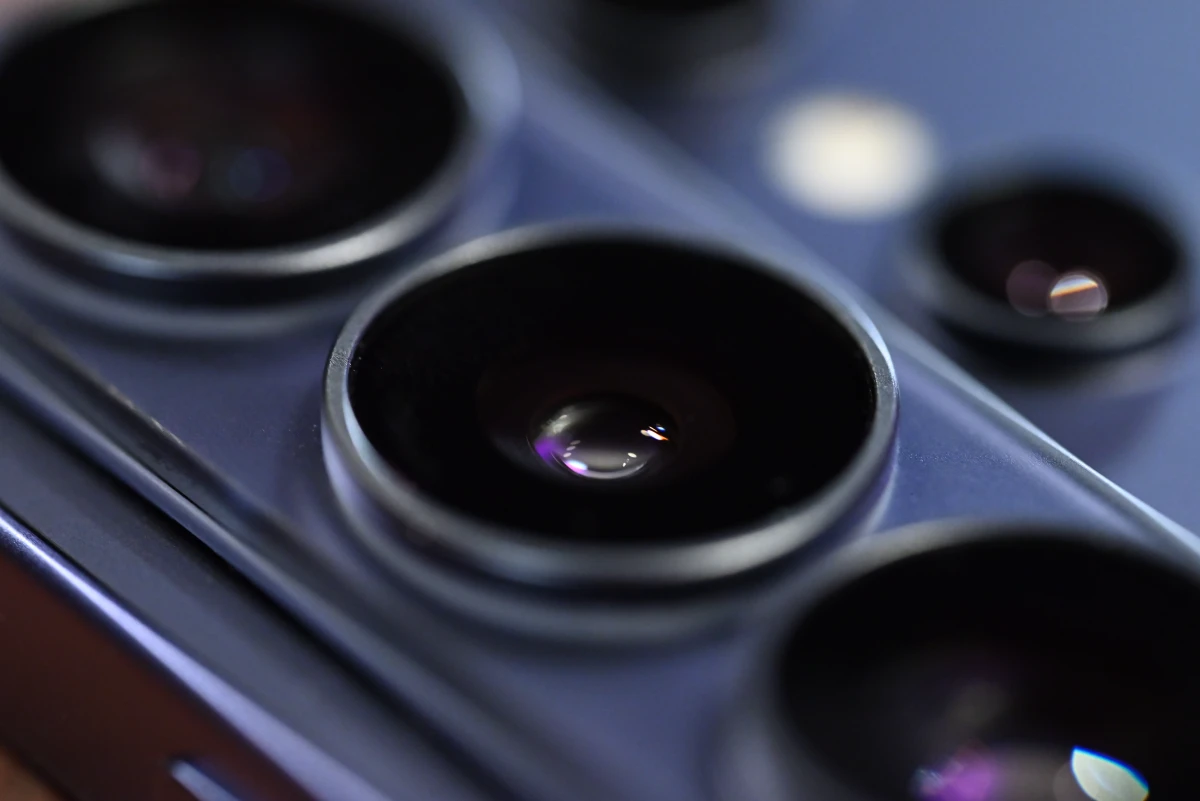
And if you need more control, the built-in camera app offers a “Pro” mode which lets you manually select your lens, ISO, aperture, white balance, and a couple of other settings, while a standalone Expert RAW camera app lets you obtain RAW photos. You’ll still struggle a bit against the phone’s own wishes, but at least this lets you get files that offer swathes more post-processing flexibility.
Despite some of our gripes with photography, video quality is a thing of beauty. Perhaps it’s because it’s a lot harder to pixel-peep in the same way that you can with images, perhaps it’s because smaller sensors (even 1” ones!) were standard in cinematography for a while, but phones tend to punch way above their weight class. The S26 Ultra supports up to 8K30 video with its rear camera (that is, 4K120 and 1080p240) and 4K60 (and 1080p30) with its front shooter. It can also shoot in Log, and features a newly-added APV codec. A new Horizon Lock feature also aids image stabilization by keeping the horizon line level, while optical image stabilization, paired with electronic stabilization, makes handheld, gimbal-less recording stable and effortless.
Software and OneUI: love it, hate it
Samsung’s flagships, starting with the S24 lineup, now promise 7 years of core Android and OneUI updates, on par with Google’s own Pixel series. This was a long-standing Achilles’ heel of Android handsets, where substandard long-term software support often marred an otherwise excellent experience.
Samsung devices run an in-house OneUI software interface that sits atop Android, and greatly modifies the default feel of the OS. It’s loaded with features not present in the stock OS: the DeX desktop environment, deep integration with other Samsung hardware, S Pen support, advanced multitasking, and swathes of other extra goodies. OneUI also features support for secure, encrypted folders and extensive custom synchronization tools with the Windows ecosystem.
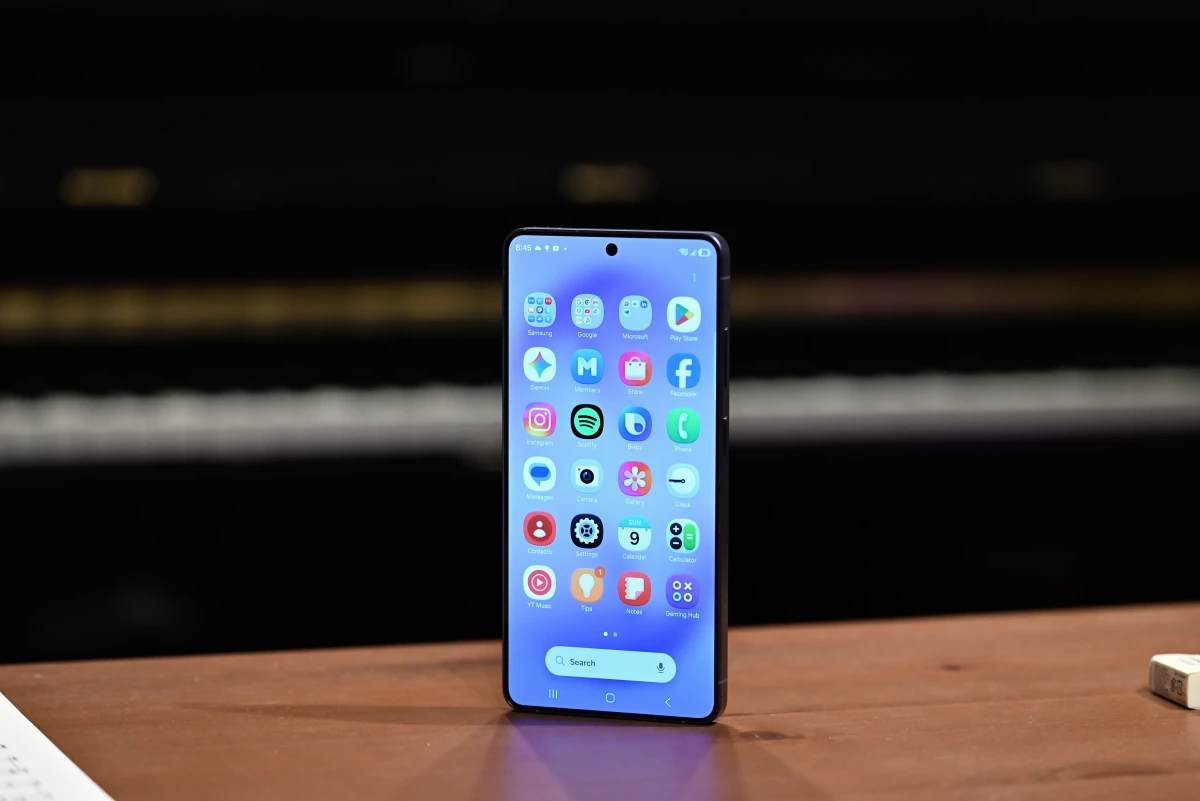
AI tools are another (perhaps a bit intrusively) baked-in feature, and a marketing highlight for Samsung with the new S26 Ultra series. There’s some clutter with all the available AI tools on Galaxy phones: there’s the traditional Bixby, there’s Google Assistant, there’s Gemini (that’s now the default), and there’s Galaxy AI — the first three roughly filling the same voice assistant niche, though with varying degrees of access to your phone’s software and various thinking prowess; while Galaxy AI serves as a marketing moniker for a range of on-device and hybrid AI features, ranging from image generation, to note transcription, translation, and writing assistance. The S26 series brings two new features to this suite, Now Brief and Now Nudge, both of which are context-aware features that track your daily usage behavior or current screen content, and suggest appropriate easy-to-access actions.
For all its advantages, OneUI is not without its drawbacks. It’s notably messy (some would say bloated), often featuring duplicate versions of the same app. There are two browsers, two photo gallery apps, pre-installed apps from Microsoft, Meta, and other third parties, and an ever-increasing amount of gestures, pop-ups, and side panels to manage. It can feel overwhelming, especially for users coming from more stock versions of Android, or especially those coming from iOS.
That’s not to say that this clutter isn’t oftentimes driven by a function-over-form approach to interface design. And even then, Samsung’s own Good Lock is an optional app that allows you to customize pretty much every area of your OS experience, in addition to the tools that are built right into OneUI: the theme store, custom widgets and icons, keyboard and UI customizations, and even some surprisingly low-level hardware tweaks, like panel color calibration. It’s all far more than most other mobile options offer.
Personally, despite not being fans of OneUI in the past, this time around, it just clicked. There’s so much functionality you can access at any given point, and it’s all right there at your fingertips. And if there’s some feature that’s blocking something else, the system will often proactively point you to the right place and offer helpful configuration tips. Perhaps a part of OneUI’s notoriety among certain users stems from the way lower-end devices run it, on which things can come to a crawl at times. But a flagship, like the S26 Ultra, well — a flagship really mustn’t struggle with running its OS. And everything feels smooth, fluid, and snappy on here, as smooth as you’d expect of any high-end mobile device.
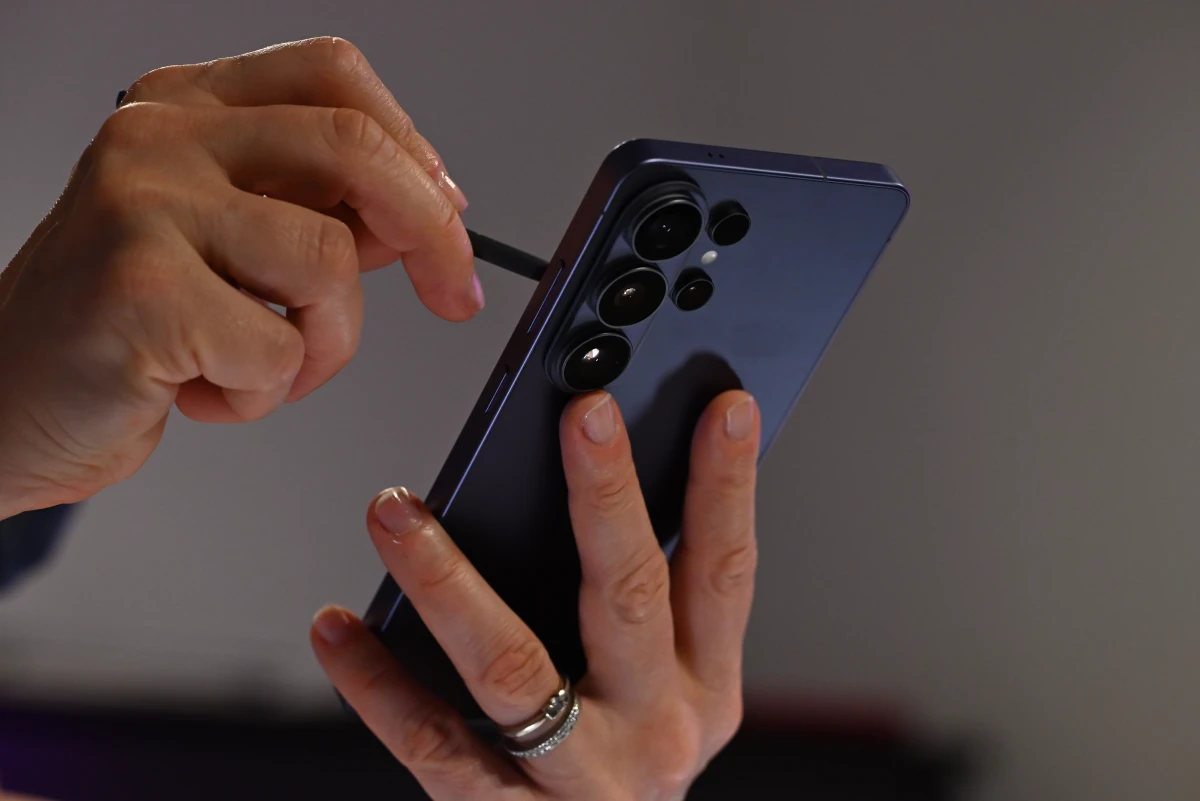
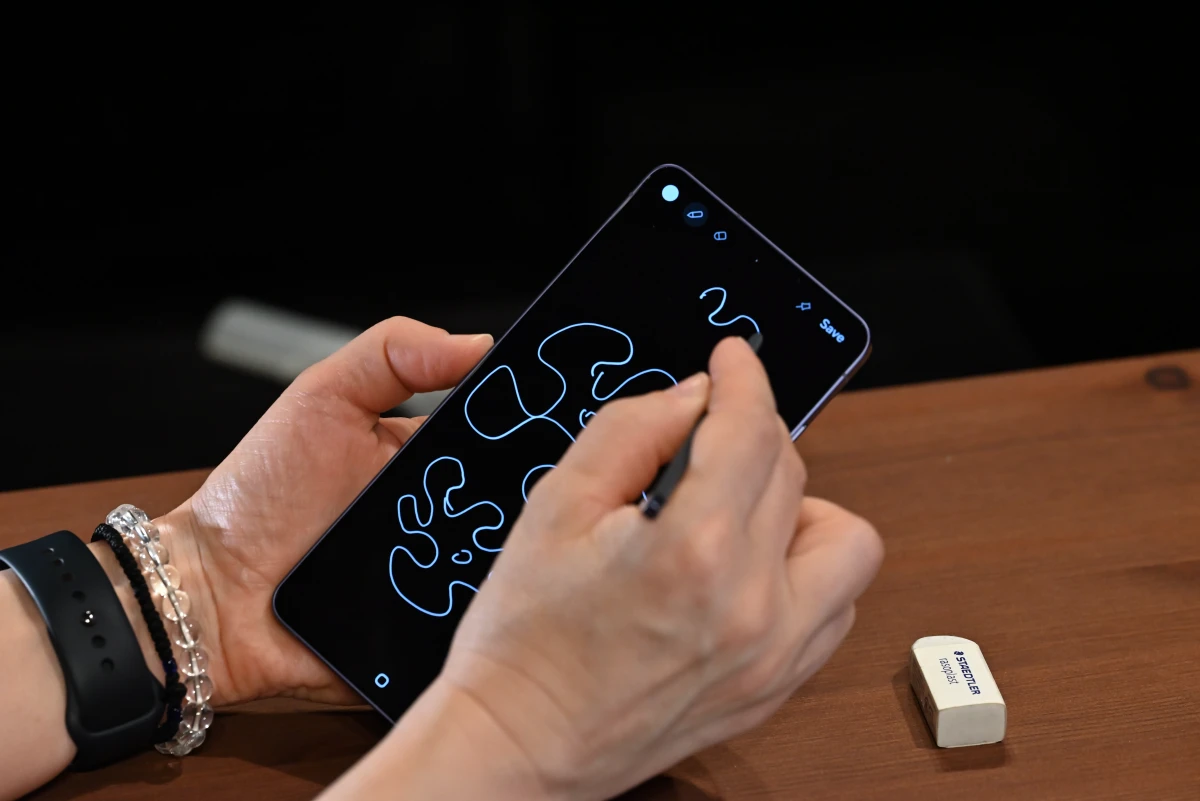
Now, ah, the S Pen, presently somewhat of a shadow of its former self, still lives on as a core part of the user experience. Removing it from the phone with the screen locked brings up Samsung Notes, letting you quickly jot down thoughts or doodles that get saved as you reinsert the pen. With the phone unlocked, removing the S Pen enables Air Command, the S Pen’s traditional side-menu that can be stocked with S Pen–related apps and features for quick access. We’re a bit surprised by the default selection — Creative Studio, AI Select and Screen Write — since two of these three are AI-centric features. To us, the S Pen was always most at home for note-taking, photo editing and screenshot annotation (and formerly, for various remote control features), but Samsung seems to be pivoting a bit here. Together with our aforementioned concerns about the S Pen’s future, it seems that these new phones are slowly shifting away from their original, note-taking niche.
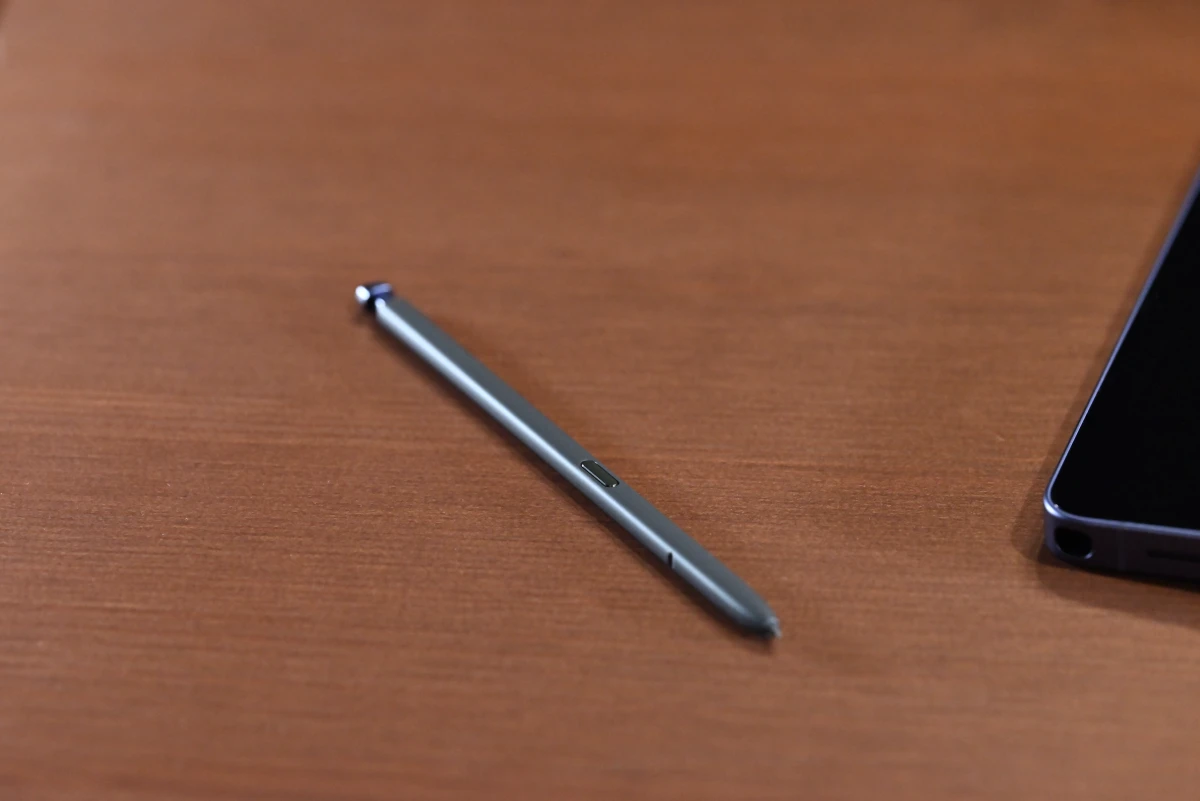
And perhaps this is going to be a bit of a nitpick, but the phone’s wobbliness on desks becomes incredibly bothersome when it comes to writing, for pretty obvious reasons. The S26 Ultra really is meant for handheld use.
Pricing
The Galaxy S26 Ultra starts at $1,299 (£1,279/1,449€) for the base 256 GB model. Higher-storage models with 512 GB ($1,499/£1,449/1,649€) and 1 TB ($1,799/£1,699/1,949€) are also available. Compared to the S25 series, the S26 lineup generally saw price bumps, though not consistently so across all regions, and not across all models. Generally, expect to be paying ~$50 more than last year. That is, unless you’re based in the US, where prices remain stable.
The S26 Ultra is a fair bit more expensive than its competitors. Prominently, Apple’s 256 GB iPhone 17 Pro Max starts at $1,199. To make matters worse, by reserving its highest-end hardware to the large, 6.9” form factor, Samsung ends up with no contender in the smaller fully-featured flagship market, leaving the floor fully to the regular iPhone 17 Pro, starting at $1,099 in the 256 GB configuration.
Over in flagship Android land, though, the S26 Ultra’s price is competitive. Some of Samsung’s own offerings are significantly harsher on the wallet: the passport-sized Galaxy Z Fold 8 starts at $1,899, while the (more traditional) Z Fold 8 Ultra starts at $2,099. Sony’s flagship Xperia 1 VIII, while not released in the US, starts at £1,399 in the UK (and 1,499€ in Europe). Xiaomi’s 17 Ultra is also priced similarly, at £1,299/1,499€ — also absent on the US market.
Conclusion
The S26 Ultra is a fine 2026 flagship offering from Samsung. Some of our long-running gripes with the Galaxy S series are still present, as are some general issues that plague almost all modern smartphones. But for what it is, Samsung’s newest Ultra takes a step in the right direction.
Better performance, better battery life, an updated-if-more-reflective display, brighter cameras, and a more comfortable design make it a clear step forward, though certain design decisions, including the S Pen’s slow decline, as well as the camera placement (and processing, at times!) and subpar audio mar an otherwise excellent package. Our ideal Galaxy phone… well, it’d have the S24 Ultra’s S Pen, speakers nabbed from a modern iPhone, the S26 Ultra’s performance and camera setup (it’s still among the best on phones), and perhaps a smaller footprint, closer to 6” than to 7”.
Yet, if we were asked whether we’d want to downgrade to an older Galaxy Ultra model, we’d be hard-pressed to give up all the incremental upgrades that, while seemingly minor generation-by-generation, do add up over time. For long-time Samsung Galaxy power users looking to move on to a new device, especially those still rocking models in the low-S20s, or for those looking to jump ship over to Android land, seeking the premium feel they’re used to, or perhaps better native Windows integration, the Galaxy S26 Ultra remains an appealing, well-rounded, albeit expensive choice with a couple of notable drawbacks.

